Greenhouse to ICIMS Migration: What Actually Takes 14 Weeks
The phase-by-phase plan for mid-market TA teams moving off Greenhouse. What gets rebuilt, what actually migrates, and the decisions that keep the timeline honest.
A Greenhouse to ICIMS migration typically takes 14 weeks for a mid-market TA team running 500 to 5,000 employees with standard HRIS integrations. Simpler environments land closer to 10 to 12 weeks. Enterprise migrations with multi-region hiring, layered approvals, and complex Workday or UKG integrations stretch to 16 to 20 weeks.
Why the spread? The two platforms have very different data models, very different workflow philosophies, and very different integration patterns. A Greenhouse to ICIMS migration is not a data copy. It is a translation exercise across two recruiting operating systems, and that translation is where most of the time goes.
Here is the 14-week plan, what gets eaten up in each phase, and the decisions you need to make before kickoff so it actually finishes on time.
What’s in this guide
Why a Greenhouse to ICIMS migration takes longer than a net-new build
A clean ICIMS implementation starts from zero. You design the system to fit the TA team. A migration doesn’t have that luxury. You are carrying the weight of every decision Greenhouse made for you, every workaround your team invented, and every integration you already depend on.
Three structural differences drive most of the extra time.
Different data models. Greenhouse is built around Candidates, Applications, Jobs, and Scorecards. ICIMS is built around Person Profiles, Job Profiles, Recruiting Workflows, folders, panels, and iForms. If you want to understand the target-state shape, the ICIMS data structure explained post is the best primer we’ve published. Translating between the two takes meaningful design time.
Different workflow philosophies. Greenhouse pipeline stages are mostly flat and linear. ICIMS uses Workflow Profiles with Entrance Criteria, Auto-Launch Actions, and Disposition Codes layered on top. Getting the new workflow to feel familiar to recruiters without hand-coding every old stage into ICIMS is a design problem, not a configuration problem.
Different integration patterns. Your Greenhouse integrations (HRIS, background check, scheduling, job boards) will not carry over. Each one has to be rebuilt through ICIMS-specific connectors. The good news is that most major vendors have ICIMS Marketplace listings. The less good news is that reconnecting four to seven integrations properly is its own workstream, which is why most TA teams bring in a dedicated ICIMS implementation consultant for this phase of the build.
The 14-week phase-by-phase plan
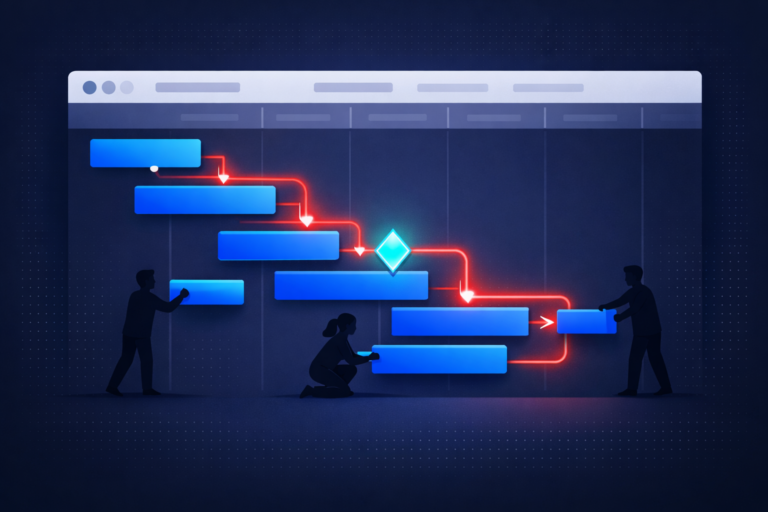
We break every Greenhouse to ICIMS migration into six phases. The phases overlap by design, not by accident, because waiting for Phase A to finish before Phase B begins is how you end up at 20 weeks instead of 14.
Discovery and planning
Map everything that exists in Greenhouse today. Every active job template, every pipeline stage, every rejection reason, every scorecard question, every active integration, every user and permission level, every custom field, and every automation. Yes, all of it.
Interview the TA team, the HR ops team, IT, and at least one hiring manager. You are not looking for feature requests. You are looking for the real workflow, including the workarounds that live in Slack threads and spreadsheets.
Deliverables: workflow inventory, integration inventory, user and permission matrix, historical data scope decision, target-state hiring operations diagram, and the go-live date.
Data mapping and workflow design
This is the translation phase. Greenhouse stages become ICIMS Workflow Profiles. Rejection reasons become Disposition Codes. Scorecards become evaluation iForms, or they get retired entirely. Job templates become Requisition Templates plus Portal Postings.
Every custom field in Greenhouse has to find a home in ICIMS or get explicitly sunset. Greenhouse GDPR tags and EEOC disposition codes need a careful mapping because these often drive compliance reporting.
Don’t skip this phase to save time. Every workflow decision you defer to Phase 3 gets made under build pressure and quietly creates rework later.
Configuration and build
Stand up ICIMS in a test environment. Configure Workflow Profiles, Login Groups, Folder structure, iForms, Offer Letter templates, Notification Profiles, the Career Portal, and Disposition Codes. Build the automation rules that mirror your critical Greenhouse automations (interview invitations, rejection emails, handoff to onboarding).
In parallel, start preparing your Greenhouse data export. Greenhouse’s Harvest API pulls candidate, application, and job data. Celigo and custom Python exporters are common paths when the volume is large.
Data migration and integration build
Now the data actually moves. Historical candidate profiles, application history, dispositioned records, resumes, notes, and source attribution get transformed from Greenhouse’s schema to ICIMS’s field structure and loaded into the test environment. ICIMS’s technical support team typically needs 2 to 3 weeks to extract and import data volumes at scale, which is why you put the extraction request in during Phase 2, not here.
Integrations get built alongside the data load. If you run Workday as your HRIS, our full ICIMS Workday integration setup guide walks through the three approaches and the field mapping pitfalls. Background check, assessment, scheduling, and job board integrations follow the same pattern: connect, map fields, test end-to-end with a sample candidate.
UAT, training, and change management
Recruiters and hiring managers run the full candidate journey in the test environment against real scenarios. Schedule at least three formal UAT cycles: one for recruiters, one for hiring managers, one for HR ops. Track every issue in a single log with severity, owner, and status.
Train users in role-based waves. Recruiters get deep training. Hiring managers get focused “here’s what you actually touch” training. System admins get everything. Do not use a single generic training session for everyone.
Communicate the cut-over. Everyone who touches ICIMS or Greenhouse needs to know the exact freeze date, the go-live date, and who to call on Day 1 when something feels off.
Cut-over and go-live
Freeze Greenhouse updates. Run the final data delta load (new candidates who applied during UAT). Activate integrations in production. Flip the career site redirect. Announce internally and externally.
Then run two weeks of hypercare. Daily standups with TA leadership, a shared issue log, and fast feedback loops. The first two weeks after go-live surface every gap the build and UAT phases missed.
Planning a Greenhouse to ICIMS migration?
We’ve run this migration for mid-market and enterprise TA teams end to end. We work alongside ICIMS Professional Services as your team’s dedicated partner, not a replacement for ICIMS PS. Let’s talk about your timeline.
Book a 30-minute discovery callWhat data actually transfers (and what doesn’t)
Before we get into what moves, one hard rule: migrate the data you actually need. Not all of it. The point of a migration is to enter ICIMS with a clean, trustworthy pipeline, not to haul every stale 2019 candidate record into the new system because the export was free.
What typically migrates well
- Candidate profiles: name, contact info, source, custom tags, and key custom fields
- Application history: which jobs each candidate applied to and the final disposition
- Disposition codes and rejection reasons (critical for EEOC reporting continuity)
- Resumes, cover letters, and attached documents
- Recruiter and hiring manager notes where they tie to candidate records
- Active requisitions and recently closed requisitions within a defined window
- Source attribution for paid and organic channels
What often doesn’t translate cleanly
- Scorecards: ICIMS uses evaluation iForms, which are structured differently. Most teams rebuild these rather than migrate
- Old scheduling events and calendar invites: the underlying calendar data lives outside Greenhouse
- Internal recruiter chat threads that aren’t attached to the candidate record
- Historical automations and email sequence logs: you migrate the template library, not the send history
- Greenhouse-specific reports: ICIMS reports get rebuilt in the ICIMS Report Builder, which is a different tool
5 mistakes that quietly add weeks to the timeline
Nobody plans a 14-week migration that ships at 22. It happens because the same few mistakes keep repeating. Here are the ones we see most often.
- Skipping the discovery phase because “we know our process.” You don’t. Every TA team has at least three workflows that exist only because one recruiter invented them in 2022. If they aren’t documented in Phase 1, they surface in UAT when there’s no time to design properly.
- Treating data migration like a copy-paste exercise. Historical data needs cleanup before it moves. Move dirty data into ICIMS, and you get dirty dashboards, duplicate records, and recruiter distrust of the new system on Day 1.
- Leaving integrations for the last two weeks. Background check vendors, HRIS connectors, and scheduling tools all need their own sandbox testing. When integration work compresses into the final sprint, something goes live broken.
- Underinvesting in recruiter training. Recruiters are the daily users. If their first real session is the Monday after go-live, they will work around ICIMS (in spreadsheets, email, or Slack) rather than in it. Role-based training during Phase 5 is non-negotiable.
- No executive sponsor. When the CHRO or VP TA is not visibly behind the migration, every cross-functional ask (IT bandwidth, HR ops hours, hiring manager training time) turns into a negotiation. Migrations need air cover, not just a project plan.
Decisions to make before kickoff
Most of the time lost in a migration is lost to decisions that get deferred. Here are the ones that have to be locked before Week 1.
| Decision | What’s at stake |
|---|---|
| How much historical data moves (12 months, 24 months, all time) | Data volume drives the ICIMS extraction timeline and your cleanup budget |
| Whether scorecards rebuild as iForms or get retired | Affects Phase 2 design effort and Phase 5 UAT scope |
| Which integrations are Day-1 critical vs. Week-4 acceptable | Lets Phase 4 prioritize correctly and protects go-live |
| Whether offer letters rebuild inside ICIMS Offer Management or stay in DocuSign | Drives Phase 3 build time and Phase 5 training scope |
| Who owns ICIMS after go-live (full-time admin, fractional, or partner-managed) | Determines whether you’re ready to operate the system or just to receive it |
If two of these five are still open at kickoff, your 14-week plan is already at risk. Resolve them before the timer starts.
It also helps to go into the process with realistic cost expectations. Our breakdown of ICIMS implementation cost in 2026 covers licensing, implementation fees, and the hidden-cost buckets that TA leaders tend to miss. And if you’re still comparing platforms rather than locked in, our side-by-side ICIMS vs Greenhouse comparison walks through the decision framework for enterprise recruiting teams.
Frequently asked questions
Get more from your ICIMS investment
We’re a certified ICIMS implementation partner specializing in ATS migrations for mid-market and enterprise TA teams. Whether you’re at Week 1 or Week 11, we can plug in and keep the timeline on track.
Book your discovery call