The Ultimate Guide to ICIMS Optimization (2026 Edition)
Your ICIMS instance has drifted. Workflows multiply without coordination, dashboards go unused, AI features sit untouched, and compliance requirements have shifted. This guide covers everything you need to bring your configuration back to peak performance.
Why Your ICIMS Instance Needs Optimization
Most organizations deploy ICIMS with clean workflows and clear intentions. Then reality happens. New hires add fields independently. TA processes evolve while the system stays static. Reporting requirements change. Permission structures grow unchecked. Within 3 to 6 months, configuration drift begins. Within a year, recruiters are building spreadsheet workarounds because the system no longer matches how they actually work.
This is not a criticism of ICIMS. It is the nature of any enterprise platform in a live environment. The question is not whether drift will happen, but whether you have a framework for catching it and correcting it before it compounds.
Shadow Tracking Systems
Hiring managers maintaining Excel spreadsheets because ICIMS dashboards do not show them what they need.
Workflow Sprawl
Duplicate workflows created for edge cases that were never consolidated. Recruiters unsure which template to use.
Untouched AI Features
Copilot, Agents, and CXM campaigns available but never configured. Teams manually doing what AI could handle.
Compliance Gaps
OFCCP thresholds changed in October 2025. California AI bias rules now in effect. Configuration has not been updated.
Career Site Neglect
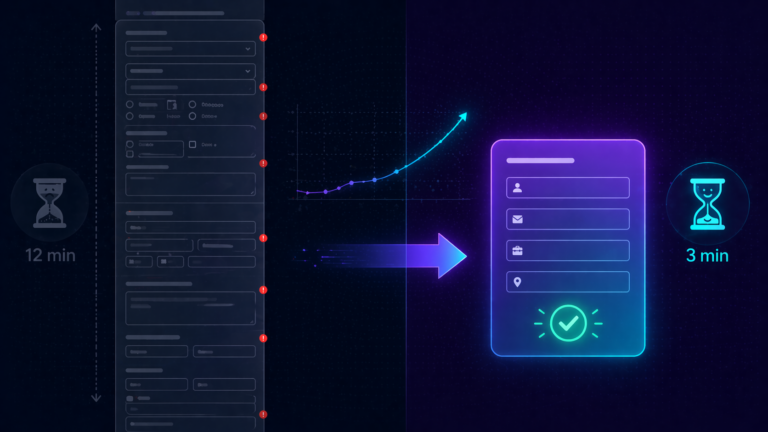
No SEO optimization, no chatbot, no Text-to-Apply. 73% of candidates abandon applications over 15 minutes.
Integration Misalignment
Job codes, titles, or locations out of sync between ICIMS and your HRIS. Data mismatches causing downstream errors.
The optimization benchmark: ICIMS customers who actively manage their configuration report a 40% reduction in recruiting workflow time and 30% faster time-to-hire compared to organizations running on default settings.
What Changed Since the 2025 Edition
ICIMS shipped more significant platform updates in the past 12 months than in any prior period. If your configuration was last tuned in 2024 or early 2025, here is what you have missed.
Winter Release: GenAI Digital Assistant
AI-powered chatbot for career sites providing personalized candidate interactions. Expanded Apply Network with Indeed and LinkedIn integrations. Candidate notes now sync between ATS and CXM.
ICIMS Agents Platform Launch
Five domain-specific agentic AI tools: Sourcing Pipeline Agent, Frontline Manager Hiring Agent, Conversational Application Agent, Candidate Summary Agent, and Conversational Analytics Agent.
Summer Release: AI-Powered Search and Career Sites
AI candidate search with query optimization. SEO-optimized content generation via Copilot. Multilingual career site support. Mobile career site editing and preview.
Apli Acquisition: Frontline AI
Conversational AI for multichannel engagement (SMS, WhatsApp, web chat). Customers report automating 90% of frontline hiring, 10x more hires per recruiter, and 75% reduction in time-to-fill.
Fall Release: AI Sourcing Agent and CXM Upgrades
Intelligent sourcing workflows with AI-driven candidate identification. Expanded behavior-based campaign logic in CXM with advanced filters and if/then automation. Turnkey I-9/E-Verify integration with JDP.
Coalesce AI and Brand Refresh
Unified intelligence layer embedded across the entire platform. New brand identity reflecting AI leadership with “powering exceptional hiring” positioning. Marks the shift from standalone AI features to integrated AI experience.
The Eight Optimization Areas
A comprehensive ICIMS optimization covers eight interconnected areas. Neglect one and the others will eventually feel the impact. Click each area below for detailed guidance, benchmarks, and actionable steps.
1. Workflow Design and Cleanup
Workflow optimization is the foundation of everything else. If your pipeline stages do not match how your team actually hires, every downstream metric will be unreliable and every automation will fire at the wrong time.
What to Audit
- Map every active workflow and identify duplicates or unused variants
- Review pipeline stages against actual hiring steps (not aspirational ones)
- Check entrance criteria: are they enforcing required actions (background checks, prescreen forms, diversity questionnaires) or just creating friction?
- Audit auto-launch actions: do automated emails and prompts fire at the right moments?
- Review approval workflows for unnecessary stages that slow down requisition movement
Best Practice: Segregated Testing
Build and test all configuration changes in isolated admin login groups that mirror production. This lets you validate workflow rules without affecting active users or live requisitions. Never test in production.
Common Mistakes
- Adding pipeline stages for internal tracking that create unnecessary clicks for recruiters
- Entrance criteria that block candidate advancement without clear business justification
- Auto-launch emails that fire on status changes recruiters use for internal notes
- Multiple workflow templates for similar job types that should be consolidated
Optimization cadence: Conduct quarterly reviews of entrance criteria and prompt configurations. Annually, do a full workflow audit mapping every active template to its actual usage volume.
2. AI Features: Copilot, Agents, and Coalesce
ICIMS has rolled out more AI features in the past year than most organizations have had time to evaluate, let alone configure. Here is what is available and how to prioritize activation.
ICIMS Copilot (GPT-4 Powered)
- Interview question generation based on role-specific criteria
- Job description optimization with improvement recommendations
- Email copy creation and iteration
- Career site SEO optimization with auto-generated titles and descriptions
- Multilingual translation (French, German, Spanish)
- Candidate search assistant for plain-language query building
ICIMS Agents Platform (June 2025)
- Sourcing Pipeline Agent: Identifies top candidates from your existing talent pools
- Frontline Manager Hiring Agent: Reduces manual steps in high-volume hiring
- Conversational Application Agent: Automates candidate interactions
- Candidate Summary Agent: Synthesizes candidate information into actionable summaries
- Conversational Analytics Agent: Provides data insights and strategy recommendations
Coalesce AI (March 2026)
Coalesce represents a shift from standalone AI features to a unified intelligence layer embedded across the entire platform. Rather than switching between tools, AI is now woven into every step of the recruiting lifecycle. If you have been waiting to activate AI features, this is the inflection point.
Where to Start
Do not try to activate everything at once. Start with Copilot for job descriptions (immediate time savings with low risk), then add the Candidate Summary Agent (reduces review time), then configure the Sourcing Pipeline Agent for your hardest-to-fill roles. Layer in the Conversational Analytics Agent once you have enough data flowing through the system.
AI compliance note: California now requires 4-year record retention for AI-assisted hiring decisions. NYC mandates annual bias audits for automated employment tools. Colorado’s AI Act takes effect June 2026. Ensure your AI configuration includes human-in-the-loop safeguards and document how each AI feature is used in your hiring process.
3. Career Site and Candidate Experience
Your career site is the front door of your employer brand. If it is slow, hard to navigate on mobile, or missing from search results, you are losing candidates before they ever enter your pipeline.
SEO Optimization
- Use Copilot to auto-generate page titles and meta descriptions for job postings
- Enable .JOBS Career Microsites for enhanced search engine visibility
- Ensure every job posting has unique, descriptive content (avoid copy-paste templates)
- Configure structured data markup for Google for Jobs integration
Mobile and Apply Experience
73% of candidates abandon applications that take longer than 15 minutes. The mobile experience is no longer optional.
- Enable Quick Apply to reduce friction for mobile candidates
- Configure Text-to-Apply campaigns (98% SMS open rate, 209% higher response vs. phone/email)
- Test the full application flow on mobile devices monthly
- Use the Summer 2025 mobile editing tools to preview and adjust career site layout
GenAI Digital Assistant (Winter 2025)
- AI chatbot providing personalized interactions with career site visitors
- Recognizes and answers approximately 100 common candidate questions
- Multiple language support
- Captures candidate information for pipeline nurture
| Metric | Benchmark | Your Target |
|---|---|---|
| Application Completion Rate | 60% (threshold) | 75%+ |
| Mobile Apply Time | < 15 minutes | < 8 minutes |
| SMS Open Rate | 98% | 95%+ |
| Career Site Conversion | ~26% | 35%+ |
4. CXM and Talent Marketing
ICIMS CXM (Candidate Experience Management) is one of the most underutilized parts of the platform. It combines behavior-based marketing automation with AI-powered talent insights, but most organizations only scratch the surface.
Behavior-Based Campaigns (Fall 2025 Update)
- Advanced filters and if/then logic for campaign targeting
- Trigger campaigns based on candidate behavior (page visits, application starts, email opens)
- Segment audiences by skills, location, experience, and engagement history
- Automate nurture sequences for silver medalists and passive talent
Talent Rediscovery
- AI matching identifies top candidates already in your database
- Surface silver medalists, past applicants, and former employees
- GenAI instant search string building for precise candidate search
- Engagement scoring based on candidate interaction history
Event Management
- Manage on-site, virtual, and campus recruiting events
- Candidate pre-registration automation
- Automated messaging to attendees before and after events
- Event success reporting tied to pipeline data
Quick Win: Silver Medalist Campaigns
Configure an automated campaign that targets candidates who reached final interview stages but were not selected. These candidates are already vetted and engaged. A well-timed nurture email when a similar role opens can fill positions faster than sourcing from scratch.
5. Compliance and Governance
The compliance landscape shifted significantly in 2025-2026, and your ICIMS configuration needs to reflect those changes. This is not optional: organizations that fail to update their compliance settings risk audit failures, regulatory penalties, and legal exposure.
OFCCP Changes (2025-2026)
- Executive Order 11246 rescinded, eliminating certain diversity and affirmative action requirements
- OFCCP jurisdictional thresholds raised (October 2025), reducing the number of contractors subject to Section 503 and VEVRAA
- OFCCP FY2026 funding of $100.976 million ensures continued enforcement of remaining obligations
- Section 503 (disability) and VEVRAA (veteran) obligations remain fully enforceable
AI Hiring Regulations
- California: AI bias regulations finalized with 4-year record retention for AI-assisted hiring decisions
- New York City: Annual bias audits required for automated employment decision tools (AEDTs)
- Colorado AI Act: Takes effect June 30, 2026, requiring reasonable care to prevent algorithmic discrimination
- FTC: Pursuing regulations to ban biased AI algorithms in hiring
- FCRA implications: Potential applicability to AI-driven screening (emerging legal precedent)
What to Configure
- Review and update EEO/self-ID collection flows against current requirements
- Verify disposition tracking with reason codes is active for every candidate status change
- Confirm audit trail retention meets the minimum three-month requirement (longer if operating in California)
- Document which AI features are active and how they influence hiring decisions
- Verify federal compliance report generation is producing current formats
Action required: If your organization uses ICIMS AI features for screening, matching, or ranking candidates, you need a documented AI governance policy. At minimum, this should cover which features are active, how they influence decisions, what human oversight exists, and how you will respond to bias audit requests.
6. Reporting and Dashboards
If your leadership team is still asking for manual status reports, your dashboards are not working. Reporting optimization means building views that answer stakeholder questions automatically, so your team can focus on recruiting instead of assembling data.
Priority Metrics to Track
| Metric | Why It Matters | Benchmark |
|---|---|---|
| Quality of Hire | Top priority for 34% of HR leaders | Org-specific |
| Time-to-Fill | 29% of HR leaders rank this top priority | 54 days avg. |
| Candidate Experience | 30% of HR leaders prioritize this | NPS > 50 |
| Recruiter Efficiency | 30% focus on scalability gains | 40% time reduction |
| Source Effectiveness | ROI per channel drives budget allocation | By channel |
| DEI Pipeline Metrics | Required for compliance and culture | Org-specific |
Time-to-Fill Benchmarks by Industry (2025)
| Industry | Average Days | Trend |
|---|---|---|
| Healthcare | 37 days | Improving (was 43) |
| Transportation | 38 days | Improving (was 42) |
| Retail | 42 days | Rising (was 40) |
| Manufacturing | 42 days | Rising (was 40) |
| Technology | 51 days | Rising (was 48) |
| Overall Average | 54 days | SHRM baseline |
Dashboard Design Principle
Build role-specific dashboards, not one-size-fits-all. TA leaders need pipeline velocity and source ROI. Hiring managers need real-time status on their open requisitions. The C-suite needs headcount progress against plan and diversity metrics. Three views, one data source.
7. Integration Ecosystem
ICIMS Marketplace now offers 800+ integrations across job boards, assessments, background checks, HRIS systems, and more. Having integrations is not the same as having them configured correctly. The most common integration problems come from data misalignment, not missing connectors.
Integration Categories
- HRIS: Workday, SAP SuccessFactors, Oracle HCM, UKG, ADP. Ensure job codes, titles, locations, and departments sync bidirectionally.
- Background Checks: HireRight, Sterling, Verified First, GCheck, First Advantage. Verify I-9 and E-Verify flows work end-to-end (JDP turnkey integration added Fall 2025).
- Assessments: 150+ assessment platform options. Map assessment results to candidate records and pipeline advancement criteria.
- Video Interviewing: Spark Hire, Interviewstream, Talview, CoderPad. Ensure scheduling links and recordings route to candidate profiles.
- Job Distribution: Indeed, LinkedIn (expanded March 2025), ZipRecruiter. Configure the Apply Network for consolidated application management.
Apply Network Milestone
As of June 2025, the ICIMS Apply Network has processed over 1 million applications. If you are not using it, you are managing job board applications across disconnected channels instead of through a unified pipeline.
Integration Audit Checklist
- Verify data field mapping between ICIMS and your HRIS (job codes, departments, locations)
- Test background check workflows with a real candidate record end-to-end
- Confirm job board postings include correct application links and tracking parameters
- Check that assessment results populate the correct candidate fields
- Validate that offer letter integrations pull current templates and compensation data
8. Fields, Forms, and Permissions
Fields and forms are where configuration debt accumulates fastest. Every time someone adds a “just one more field” without removing an old one, the system gets noisier. Permissions that were set up for a 20-person TA team do not scale to 100.
Field Cleanup
- Audit every custom field. If it has not been populated in 6+ months, flag it for removal.
- Check for duplicate fields tracking the same data in different formats
- Verify required fields are actually required by the business, not just legacy defaults
- Ensure dropdown values are current (locations, departments, job families)
Form Optimization
- Review conditional logic on application forms. Broken conditions create dead ends for candidates.
- Simplify intake forms for hiring managers. Each unnecessary question slows down requisition creation.
- Test prescreen forms from the candidate perspective on desktop and mobile
- Remove legacy form versions that are no longer attached to active workflows
Permission Audit
- Map every user role to its actual business function
- Remove inherited permissions that grant access beyond what the role requires
- Verify hiring manager visibility is scoped to their departments and requisitions
- Ensure admin accounts follow least-privilege principles
- Document the permission model so it survives team turnover
Your ICIMS Optimization Checklist
Use this interactive checklist to track your optimization progress across all eight areas. This works as an audit framework whether you are doing it yourself or working with a partner.
Frequently Asked Questions
Need Help Optimizing Your ICIMS Instance?
We run ICIMS optimization audits covering all eight areas in this guide. Book a free consultation to talk through your configuration and identify the highest-impact improvements for your team.
Book a Free ICIMS Consult