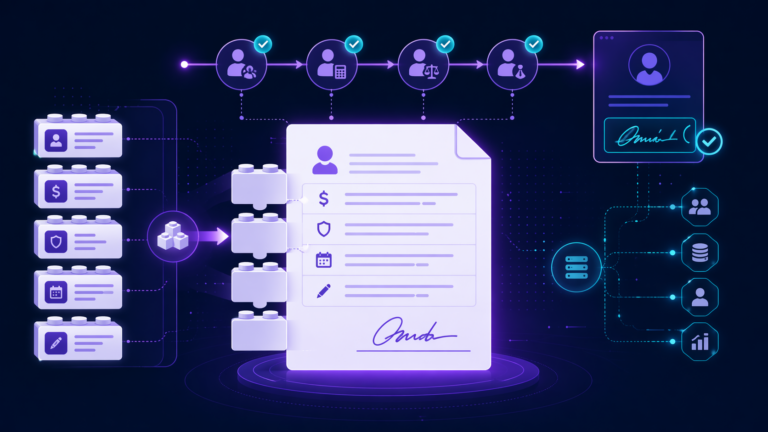
A great ICIMS high volume hiring setup is the difference between a recruiting team that drowns in applicants and one that turns a flood into hires without breaking a sweat. ICIMS Hire is a highly configurable enterprise ATS, and the platform already ships with the pieces you need for scale. The work is tailoring those pieces to how your team actually hires hourly, seasonal, and frontline roles.
We help mid-market and enterprise talent acquisition teams get more from their ICIMS investment, and high volume roles are where a smart configuration pays off fastest. Get the apply flow, automation, and talent pools right, and a small team can carry thousands of candidates a month. Get them generic, and even a powerful platform feels heavier than it should.
This playbook walks through the configuration decisions we make on real ICIMS engagements, in the order we make them. No fluff, no theory. Just the setup path we would follow if we sat down with your instance tomorrow.
What high volume hiring means inside ICIMS
High volume hiring is any situation where you fill the same kind of role over and over, at scale, often against a clock. Think retail associates before the holidays, warehouse and manufacturing shifts, nurses and care staff, call center agents, and seasonal crews. ICIMS is built for exactly this. The platform supports high volume hiring, internal mobility, and diversity-focused recruiting across healthcare, retail, manufacturing, and finance.
Here is the key idea. A high volume role and a corporate role are not the same hiring motion, so they should not share the same configuration. A director search can afford a longer application and several approval layers. A store hiring forty associates cannot. When your ICIMS high volume hiring setup treats these two motions differently, everything downstream gets easier.
The goal of the setup is simple to say and specific to build: let candidates apply in a couple of minutes on their phone, let automation move them through stages, and let recruiters spend their time on decisions instead of data entry.
✕ Long application with many required fields, so mobile applicants drop off.
✕ Every candidate waits on a recruiter to advance a stage by hand.
✕ Approval steps built for one hire slow down a batch of forty.
✕ Strong past applicants disappear once a req closes.
✓ Short mobile-first apply flow candidates finish in minutes.
✓ Automation advances, screens, and messages without manual steps.
✓ A lightweight approval path sized for batch hiring.
✓ Talent pools that keep good applicants warm for the next opening.
The five configuration pillars
Every high volume configuration we build rests on five pillars. Think of them as the load-bearing walls. Nail these and the rest of the setup falls into place.
A short, mobile-first application with only the fields you truly need to screen.
Rules that advance candidates, disposition, and notify hiring managers automatically.
Text Engagement and the digital assistant to reach and screen applicants in real time.
Pre-screening questions and knockout criteria that surface the strongest matches first.
Reusable pipelines so qualified past applicants are one click from the next opening.
Notice that none of these are exotic add-ons. They are capabilities ICIMS already gives you. The value we add on engagements is deciding how each one should behave for your roles, your compliance needs, and your recruiters.
The step-by-step setup path
Here is the order we work through an ICIMS high volume hiring setup. Doing it in sequence keeps you from rebuilding earlier pieces later.
Standard vs high volume workflow, side by side
The clearest way to see why a dedicated setup matters is to put the two motions next to each other. ICIMS lets you build both and apply each by job category, so you are never forcing one set of rules onto two very different hiring problems.
If you want to go deeper on how ICIMS organizes reqs, candidates, and profiles under the hood, our guide to the ICIMS data structure explains the moving parts in plain English. Understanding that structure makes every configuration choice above easier to reason about.
Want your high volume setup dialed in?
We work alongside your team and ICIMS Professional Services to configure ICIMS for the way you actually hire at scale. Let’s map your first workflow together.
Book a Free ICIMS Strategy Call →Reporting that proves it’s working
A high volume setup is only as good as your ability to see it working. ICIMS reporting opens up real pipeline visibility once dashboards are dialed in to your specific funnel and metrics. For high volume roles, we build a dashboard separate from corporate hiring so the numbers stay meaningful.
The metrics we watch most closely:
- Apply completion rate. If people start applications and do not finish, the apply flow is probably too long.
- Time to first contact. In high volume hiring, the fastest responder often wins the candidate. Text and the digital assistant move this number.
- Time to fill. The headline metric for whether your automation is doing its job.
- Source performance. Which channels bring the applicants who actually get hired, so you spend budget where it works.
If building leadership-ready dashboards is on your list, our walkthrough on building ICIMS recruiting reports shows how to turn the raw funnel into a view executives actually read. And once your candidates are hired, a clean handoff keeps the momentum going, which is exactly what our ICIMS onboarding setup guide is built to help with.
Setup mistakes we see most often
Across ICIMS engagements, the same few missteps come up again and again in high volume configurations. None of them are the platform’s fault. All of them are fixable.
Reusing the corporate apply flow. This is the big one. An application built for a salaried hire is too long for an hourly candidate on a phone in a parking lot. Build a shorter flow for high volume roles and watch completion climb.
Leaving automation switched off. Some teams advance every candidate by hand because that is how they started. At scale, that is where the slowdown lives. Let the rules do the repetitive moves so recruiters focus on decisions.
Ignoring talent pools. When a req closes, strong runner-up applicants often vanish from the process. Routing them into a talent pool means your next hiring wave starts warm.
Skipping the sandbox test. Pushing a new workflow straight to live reqs is how a broken rule reaches a real applicant. Always test the full path first. If you would rather have a partner run that review with you, that is a core part of our ICIMS consulting work.
Fix these four and most high volume setups go from heavy to smooth. The platform was ready. The configuration just needed to catch up to how your team hires.
Frequently asked questions
Get more from your ICIMS investment
FlowFam is a certified ICIMS implementation partner. We help mid-market and enterprise TA teams configure ICIMS so high volume hiring runs the way it should. Book a call and we’ll walk through your setup.
Book a Free ICIMS Strategy Call →