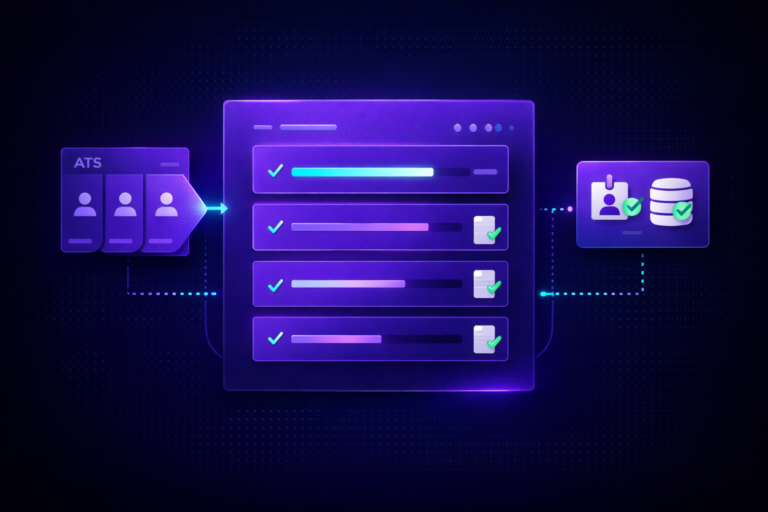
A clean iCIMS Offer Management setup turns the messiest stage of the hiring process into the cleanest. Offers stop living in Word. Legal approves once, not every time. Candidates sign in the same portal they applied in. And when they accept, the HRIS creates the new hire record automatically. This guide is how we configure it for mid-market recruiting teams, step by step, with the design decisions that separate a working deployment from one that Legal and Finance will quietly work around.
If you are still pasting offer text into a legacy template, or your approvers are sending offer drafts over email, this is the post. We will cover what the module actually is, what to configure first, the approval routing patterns that hold up at scale, and the HRIS handoff that most teams wire too late.
🎯 What iCIMS Offer Management actually is
iCIMS Offer Management is a dedicated module inside the iCIMS Talent Cloud for building, approving, delivering, and tracking digital offer letters. It uses a clause library, configurable templates with merge fields, multi-level approval routing, native e-signature (or DocuSign), and a branded candidate portal. Every offer status lives inside iCIMS, not email.
It is not the same thing as legacy offer letter templates. Legacy templates ship with the base ATS and let you merge candidate data into a static document. Offer Management is a paid module that adds the clause library, dynamic template composition, a designed approval engine, and the signed-document tracking Legal needs. If you are evaluating whether to move, the biggest signals are approval chaos, state-specific disclosures that keep slipping through, and offer letters that still open in Word.
📋 Prerequisites before you configure
Before you touch a single setting, line up five things. Skipping any of them is the most common reason an iCIMS Offer Management setup stalls halfway through.
1. Licensing. Confirm Offer Management is on your iCIMS contract. If it is not, the module will not appear in the platform navigation and your account team can add it.
2. Recruiting Workflow. Your Recruiting Workflow must include the offer statuses that Offer Management uses: Offer Drafted, Offer Pending Approval, Offer Approved, Offer Sent, Offer Accepted, Offer Declined, Offer Rescinded. If you have custom equivalents, map them carefully. Our post on iCIMS workflow rules not triggering covers status mapping gotchas in more depth.
3. Permissions. Grant the Offer Management admin permission set to the system administrators configuring the module. Grant the offer approver permission set to managers, HR Business Partners, Finance partners, and Legal reviewers who need to approve. Weird permission gaps usually trace back to login group assignment, which we cover in our iCIMS login groups setup guide.
4. Source offer data. Offer Management merges from the candidate profile and the job profile. If you are using custom fields for salary, bonus, equity, or sign-on, verify they exist, are populated during the offer stage, and have the correct field type. A number field will format differently than a text field on the final document.
5. Legal review cadence. Get Legal in the room before you build. Clauses live in iCIMS once they are approved. Template changes move faster than traditional contract processes. Agree on who can edit clauses, who has to review before a clause is published, and how often the library gets audited.
🧩 Step 1: Build the Clause Library
Clauses are the Lego bricks of Offer Management. Each clause is a named, versioned block of text that can be reused across any number of templates. When Legal rewrites the at-will statement, you update the clause once and every template that uses it inherits the change.
Inside the module, navigate to the Clauses section (exact label varies by UI version but it sits under Offer Management admin settings). Click Create New Clause and set a name, a description, and the clause body. Clauses support merge fields, so the body can reference candidate and job data the same way a template can.
A healthy starter clause library covers eight categories. Compensation and bonus language. Equity and stock option summaries. At-will employment statements. Non-compete and non-solicit (where enforceable). Confidentiality. Benefits summary. State-specific disclosures (California Labor Code notices, New York pay transparency, Colorado Equal Pay For Equal Work Act, Washington Equal Pay and Opportunities Act, Illinois Day One Rights disclosure). Signing bonus clawback language.
📄 Step 2: Build Offer Templates
Templates are the full document a candidate sees. You assemble them from clauses plus fixed text plus merge fields. The official iCIMS Community article “Creating and Managing Offer Templates in iCIMS Offer” walks through the UI, but the design decision that matters is how many templates to build.
Our rule of thumb: one template per job classification, not one per requisition. A software engineer in New York and a software engineer in Texas should share a single engineering template, with the state-specific disclosure clauses conditionally attached by location. A field sales rep with a commission plan gets a separate template because the compensation structure is fundamentally different.
Build templates with a predictable structure. Greeting block. Role and start date block (merge fields). Compensation block (merge fields plus clauses). Benefits block (clause). Confidentiality and restrictive covenants block (clauses, state-sensitive). Closing and signature block. Keep the structure consistent across templates so a candidate who moves internally sees a familiar document.
Merge fields are where most teams trip. Verify every merge field resolves against the data on the candidate and job profile at the moment the offer is created. If your Compensation Admin fills in base salary two minutes before the offer is generated, the merge field has to be mapped to that exact field. For a walkthrough of the merge field failure modes, our post on iCIMS offer letter template not populating covers the seven specific reasons merge fields go blank.
✅ Step 3: Configure approval routing
Approval routing is where Offer Management earns its keep. You define approval workflows that branch based on data on the requisition. Approvers get a task in iCIMS, approve or reject with a comment, and the offer does not release to the candidate until every required approver signs off.
Inside the module, go to Approval Workflows and click New. Set a name (match the workflow to a scenario, such as “Standard Offer – Below Director”). Add approvers: individual users, user groups, the requisition owner, or the requisition owner’s manager. Set the order: serial (approver A before approver B) or parallel (both at once). Add conditions that determine when this workflow fires, such as job level below VP and salary below 200k.
Build multiple approval workflows. Do not try to squeeze every scenario into a single mega-workflow with seven conditional branches. A cleaner pattern: a default workflow plus three or four override workflows for high-compensation, executive, international, and field sales scenarios.
✍️ Step 4: Configure e-signature and the candidate portal
Once an offer is fully approved, it lands in the candidate portal for signature. Two e-signature options exist. Native iCIMS e-signature keeps everything inside the platform and is the default for most implementations. DocuSign integration routes the signed document into DocuSign CLM for centralized contract storage, which matters for companies that already standardize on DocuSign.
Pick one and stick with it. Running both at once (some offers through native, some through DocuSign) creates two audit trails and confuses your compliance team. If your organization already runs DocuSign for other contracts, pick DocuSign. If you are starting fresh, pick native.
Customize the candidate portal separately from the offer itself. Portal branding, the welcome video slot, the copy around “Review and Sign Your Offer,” the acceptance confirmation page. These settings live under the Career Portal configuration and are easy to miss because they sit outside the Offer Management module. A branded portal with a 30-second welcome video from the hiring manager improves acceptance meaningfully. We have not seen a statistic we trust enough to quote, but every client that adds the video reports candidates referencing it on Day One.
🔄 Step 5: Wire the HRIS handoff
Offer accepted is the handoff point. Everything that happens next (new hire record creation, background check trigger, onboarding task assignment, IT ticket creation) should fire from a workflow rule attached to the Offer Accepted status.
The exact integration pattern depends on your HRIS. For Workday, the iCIMS Workday connector creates the new hire pre-start record when the status changes. Our iCIMS Workday integration setup guide covers the three approaches. For ADP Workforce Now, the iCIMS ADP Workforce Now integration walks through the connector options. For UKG Pro, the pattern is similar, covered in our iCIMS UKG Pro integration setup guide.
Whatever HRIS you run, the principle is the same: Offer Accepted triggers the record creation, the iCIMS Onboarding module picks up from there with Day 1 tasks, and nobody on the HR team has to retype employee data between systems. If you are still planning the onboarding side, our iCIMS onboarding setup guide covers the handoff structure end to end.
Need a consultant in the room when you configure Offer Management?
FlowFam has built iCIMS Offer Management for mid-market teams across tech, healthcare, and manufacturing. Book a 30-minute discovery call and we will tell you honestly whether you need help or not.
Book a discovery call →🧠 Approval routing design patterns
Four routing patterns cover most mid-market configurations. Pick one as your default and add overrides as exceptions emerge.
1. Single approver, salary-band default.
Under a defined salary threshold, only the hiring manager approves. Fast, appropriate for high-volume individual contributor roles. Use it as the default to avoid approver fatigue.
2. Two-stage HR plus Finance.
Default for most professional roles. HR Business Partner reviews for policy alignment (salary within band, start date reasonable). Finance partner reviews for headcount and budget. Both in parallel, released to candidate when both sign off.
3. Executive path.
For Director level and above, add a third approver (usually the CHRO or functional SVP) and a fourth for VP roles (CEO). Serial order so each level sees the prior approval context.
4. Field sales carve-out.
Field sales roles almost always need a Sales Ops approver to validate the commission plan and territory assignment. Add them as a required approver on any sales template. If Sales Ops is out, route to their delegate.
The pattern we avoid: routing based on dollar amount thresholds that were set three years ago. Salaries move. Thresholds do not. Every six months, review the routing conditions with HR leadership. A salary band that used to trigger executive approval probably should not anymore.
🗺 Handling multi-jurisdiction offers
Multi-state employers have an extra layer of complexity. Pay transparency laws, state-specific restrictive covenant enforceability, and mandatory disclosures vary by work location. A clean iCIMS Offer Management setup handles this without requiring recruiters to remember which state needs which clause.
Two workable models. Model A: one master template, conditional clauses attached by work state. Model B: one template per primary work state, manually selected. Legal usually prefers Model B because the governance is cleaner (each template is approved as a unit). Recruiters prefer Model A because they only have to pick the job classification, not the state and the classification. Pick the one Legal will sign off on.
Whichever model you pick, keep state-specific disclosure clauses separate from general compensation and restrictive covenant clauses. When California updates a disclosure requirement, you want to edit one California clause, not re-open three templates.
🔥 5 common iCIMS Offer Management configuration mistakes
Every iCIMS Offer Management setup we audit has at least two of these. Fix them before you go live.
1. Building one offer template per requisition
The point of the module is to reuse templates. If you are copying a template every time you create a req, you are using it wrong. Rebuild around job classifications.
2. Merge field mapping that does not match your data
The template pulls from fields that are either blank at the offer stage or populated by a downstream process. Blank fields produce blank merges, which slip past QA and embarrass the brand. Audit every merge field against when it is populated.
3. Approval routing that requires everyone to approve everything
When the CHRO has to approve every offer, the CHRO stops approving offers. Use salary and level conditions to keep routing proportional. The approver pool should match the risk.
4. Missing state-specific disclosures
Pay transparency laws and similar disclosures change often and vary by jurisdiction. Skipping them is a compliance risk. Clause-based design with location-conditional attachment is the fix.
5. No HRIS handoff wired from Offer Accepted
The candidate accepts, the offer PDF is archived, and then a recruiter manually retypes the hire data into the HRIS. Wire the workflow rule at go-live, not six months in. If you run ADP, Workday, or UKG, the connector handles the record creation automatically.
❓ Frequently asked questions
🚀 Bringing it all together
A good iCIMS Offer Management setup is not about how clever the templates look. It is about whether Legal can update one clause and trust that every template inherits the change, whether Finance can see what they signed off on last week, whether the candidate portal feels like the same brand they have been talking to for six weeks, and whether the HRIS record exists five minutes after the candidate signs.
If your current offer process looks like Word, email, and a spreadsheet of pending signatures, this module is the upgrade. If you have the module but it is not saving anyone time, the configuration is the problem. Our team runs audits and rebuilds for exactly this scenario, which you can read more about on our iCIMS system audit page, or go deeper on the implementation side through our iCIMS implementation consultant service.
Let’s get your Offer Management working the way it should
Whether you are configuring iCIMS Offer Management for the first time or cleaning up a setup that never quite landed, FlowFam can help. Book a 30-minute discovery call and walk us through what you have today.
Book a discovery call →