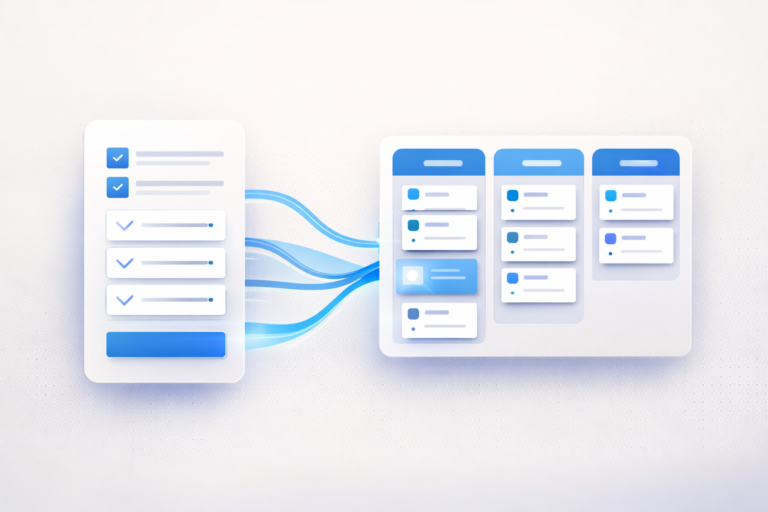
How to Use monday.com for HR
A Complete Playbook
Most HR teams aren’t overwhelmed because they lack effort. They’re overwhelmed because their workflows are invisible. Here’s how to fix that.
Stop Using monday.com as a Task List for HR
Here’s the uncomfortable truth: most HR teams using monday.com are barely scratching the surface. They’ve got a board or two. maybe an onboarding checklist, maybe a request tracker. and they’re calling it a system. It’s not a system.
A task list doesn’t tell you that your onboarding completion rate is 68% when it should be 95%. It doesn’t flag that your average HR request takes 4.2 days to resolve when your SLA is 2. It doesn’t show your VP of People that the team is drowning under 140 open requests with zero visibility into who owns what.
The problem isn’t the tool. The problem is architecture. And that’s exactly what this playbook fixes.
What a Well-Built HR System in monday.com Actually Delivers
When you architect monday.com correctly for HR, it stops being a project management tool and becomes an operational visibility layer. That’s a meaningful distinction. You’re not tracking tasks. You’re building a system that gives your entire HR operation real-time intelligence.
Concretely, a well-built system delivers real-time workload visibility across the HR team, measurable SLA performance on every request type, automated onboarding sequences that don’t depend on someone remembering to send an email, compliance tracking that alerts you before deadlines pass, and executive dashboards that turn your VP of People into the most data-informed leader in the room.
Core HR Workspace Architecture in monday.com
Architecture matters more than features. You can have every automation in the world, but if your boards are poorly structured, you’ll end up with a different kind of chaos, the kind with more moving parts.
The foundation is a single, dedicated HR workspace. Not a folder buried inside a company-wide workspace. A purpose-built space with clear boundaries, consistent naming conventions, and intentional board relationships.
Recommended Workspace Structure
Your HR workspace should be organized into clear functional areas. At the top level, you’ll have an HR Operations area (requests board, SLA tracking), an Employee Lifecycle area (onboarding, offboarding, directory), a Compliance & Governance area (compliance calendar, audit logs, policy tracking), and a Strategic Initiatives area (HR projects, performance cycles, engagement surveys).
This structure scales. When your team grows from 5 to 50, you won’t need to rebuild. you’ll just add boards within the existing architecture.
The 6 Core HR Boards Every Team Needs
These aren’t suggestions. they’re the minimum viable infrastructure for an HR team that wants to operate with visibility instead of guesswork. Click any board to see the recommended column structure and key automations.
Central intake for every HR question, issue, and service request. This is your operational nerve center. If a request isn’t here, it doesn’t exist.
Key Automations
- Auto-assign requests based on type (benefits → Benefits Specialist, payroll → Payroll Analyst)
- SLA countdown timer starts when status changes to “In Progress”
- Escalation notification if SLA is breached
- Weekly digest of open requests sent to HR Manager
Pro Tip
- Use monday.com Forms as the intake mechanism. No more Slack DMs or email requests falling through cracks.
Track every new hire from offer acceptance to fully ramped. Cross-functional visibility for IT, Facilities, and the hiring manager, not just HR.
Onboarding Phases
- Pre-boarding (Days -14 to 0): Paperwork, system access, welcome kit
- Week 1: Compliance training, team intros, role clarity
- Days 8-30: First deliverables, regular check-ins, feedback loops
- Day 30-90: Performance baseline, engagement survey, formal close
Why This Matters
- 64% of employees don’t get any preboarding at all. that’s a huge missed opportunity. A structured pipeline ensures nothing slips.
Security-first offboarding. Every departing employee triggers a standardized sequence: access revocation, equipment return, knowledge transfer, exit interview.
Critical Automations
- Automatic IT notification on departure date entry for access revocation
- Equipment return tracking with automated reminders
- Exit interview scheduling 1 week before last day
- Final payroll notification to Finance
Never miss a filing deadline, training renewal, or audit date again. Proactive alerts, not reactive panic when an auditor sends an email.
What to Track
- EEOC/AAP filings, OSHA logs, I-9 audits
- Benefits enrollment windows and ACA reporting
- State-specific training requirements (harassment prevention, etc.)
- License and certification renewals
A living, connected hub, not a static spreadsheet. Links to onboarding records, request history, and department org charts.
Connected Boards
- Link to Onboarding Pipeline for each employee’s onboarding record
- Mirror columns showing open HR requests per person
- Connected to org chart view for reporting relationships
Strategic tracking for the projects that move HR from a support function to a business partner. engagement surveys, benefits redesign, HRIS migration.
Example Initiatives
- Annual compensation review cycle
- Employee engagement survey and action planning
- Benefits provider evaluation and migration
- DEI program development and tracking
Automations That Actually Matter
Automation is the most misused feature in monday.com. Teams automate for the sake of automating. sending notifications nobody reads, changing statuses that don’t map to real workflow stages. Here are the automations that generate measurable ROI for HR teams.
High-Impact HR Automations
Request routing: When a new item is created in the HR Requests board, automatically assign it to the right specialist based on the request type column. Benefits questions go to your Benefits team. Payroll issues route to Payroll. No manual triage needed.
SLA tracking: When status changes to “In Progress,” start a time tracking column. If the item hasn’t moved to “Resolved” within your SLA window, automatically notify the team lead and change priority to “Urgent.”
Onboarding sequences: When a new hire’s start date is 14 days away, automatically create subitems for every onboarding task. IT setup, badge request, welcome email, buddy assignment. Assign each to the right person. No one has to remember the checklist.
Compliance alerts: 30 days before any compliance deadline, notify the owner. 7 days before, notify the owner and their manager. On the deadline, escalate to the HR Director. This alone can prevent costly regulatory issues.
Dashboards That Change Executive Conversations
Here’s where everything comes together. A well-built dashboard doesn’t just display data. It changes how leadership perceives the HR function. You stop being a cost center and start being a strategic partner with real metrics.
The HR Operations Dashboard
This is your team’s daily operating view. It should answer three questions at a glance: What’s our current workload? Are we hitting our SLAs? Where are the bottlenecks?
Key widgets include a ticket volume chart (by week, by type), an average resolution time gauge, an SLA compliance percentage, a workload heatmap by team member, and an onboarding pipeline funnel.
The Executive Dashboard
This is what you share with your VP of People or CHRO. It answers different questions: Are we staffed appropriately? Is our onboarding effective? Are we compliant? What’s the health of the HR function?
Key widgets include headcount by department (with trend), onboarding completion rates, time-to-productivity metrics, compliance status (green/yellow/red), and HR initiative progress.
Cross-Department Alignment
HR doesn’t operate in a vacuum. Every new hire needs IT to provision a laptop, Facilities to prepare a desk, and Finance to set up payroll. Every departure needs the reverse. Without cross-department coordination, these handoffs become the bottleneck that tanks your onboarding experience.
monday.com’s connected boards and mirror columns make this seamless. When you add a new hire to the Onboarding Pipeline, a connected item automatically appears on IT’s provisioning board. When IT marks the laptop as “Shipped,” that status mirrors back to your onboarding board in real-time.
Key Cross-Functional Connections
HR ↔ IT: Equipment provisioning, access management, software licenses. Mirror columns show IT status directly on your onboarding board.
HR ↔ Finance: Payroll setup, benefits enrollment, budget approvals for new headcount. Automated notifications when a new hire is confirmed.
HR ↔ Facilities: Desk/office assignment, building access, parking. Especially critical for hybrid work setups where space is managed dynamically.
HR ↔ Hiring Managers: Onboarding task ownership, 30/60/90 day check-ins, performance goal setting. The manager sees exactly what’s expected and when.
Governance & Security
HR data is some of the most sensitive information in any organization. Compensation details, performance reviews, medical accommodation requests, disciplinary actions. this data requires serious access controls.
| Security Feature | Standard | Pro | Enterprise |
|---|---|---|---|
| Board-level permissions | ✓ | ✓ | ✓ |
| Private boards | ✗ | ✓ | ✓ |
| Column-level permissions | ✗ | ✗ | ✓ |
| Audit log | ✗ | ✗ | ✓ |
| HIPAA compliance | ✗ | ✗ | ✓ |
| SCIM provisioning | ✗ | ✗ | ✓ |
| IP restrictions | ✗ | ✗ | ✓ |
| SOC 2 Type II | ✓ | ✓ | ✓ |
| GDPR compliant | ✓ | ✓ | ✓ |
| Encryption (transit + rest) | ✓ | ✓ | ✓ |
ROI Calculator: Is This Worth It?
Let’s make the business case concrete. Adjust the inputs below to see what monday.com automation could save your HR team.
HR Automation ROI Calculator
Implementation Roadmap
Don’t try to build everything at once. The teams that succeed follow a phased approach that builds confidence and adoption at each stage before adding complexity.
Phase 1: Foundation
Set up the HR workspace, HR Requests board, and Onboarding Pipeline. Configure basic intake forms and one or two critical automations (request routing and onboarding task creation). Get the team using it daily before adding anything else.
Phase 2: Expansion
Add the Offboarding Checklist, Compliance Calendar, and Employee Directory. Build cross-department connections with IT and Finance. Set up your first dashboard. Start tracking SLAs and resolution times.
Phase 3: Optimization
Build executive dashboards, add advanced automations (SLA escalation, compliance alerts), launch the HR Initiatives board, and integrate with your existing HRIS/ATS. This is where monday.com transforms from a tool into your operating system.
Implementation Checklist
Click each item to track your progress:
The Cost of Doing Nothing
This isn’t a scare tactic. It’s math. Every month you operate without workflow visibility, you’re paying an invisible tax in wasted time, missed deadlines, and preventable turnover.
Without Structured HR Workflows
- HR staff spending 57% of time on admin instead of strategy
- Onboarding takes weeks with no consistency or tracking
- Compliance deadlines missed, creating regulatory exposure
- No data to justify headcount or budget requests
- Employee requests lost in email and Slack threads
- Exit processes incomplete, creating security and access gaps
With monday.com as Your HR Operating System
- Up to 80% reduction in onboarding cycle time
- 82% improvement in new hire retention
- 5–8 hours saved per team member per week
- Real-time dashboards that prove HR’s business impact
- Zero missed compliance deadlines with proactive alerts
- Every request tracked, measured, and resolved on SLA
HR Doesn’t Need More Tools. It Needs Clarity.
The difference between an HR team that’s drowning and one that’s strategic isn’t headcount. It’s visibility. monday.com gives you that visibility. if you build it right.
Get Your HR System Built Right →