Let’s be real: running a growing business can feel like herding caffeinated cats.
Emails pile up.
Deadlines sneak past you.
And your “project tracking system” is basically a mess of spreadsheets, sticky notes, and frantic Slack pings.
Enter monday.com Work Management, your team’s new home base for everything.
It’s part project tracker, part collaboration hub, part “does-this-for-you-so-you-can-get-back-to-work” machine.
In this guide, we’ll peek into how real teams in marketing, software, operations, and HR use monday.com to untangle the chaos, save time, and scale without losing their minds.
You’ll get practical tips, watch-outs, and a glimpse into the future of work tools that actually help.
Why monday.com Is Basically Your Team’s Swiss Army Knife
Think of monday.com as a giant, colorful command center where everything lives in one place, tasks, deadlines, files, convos, dashboards… even automated reminders that politely (or not-so-politely) nudge you when something’s due.
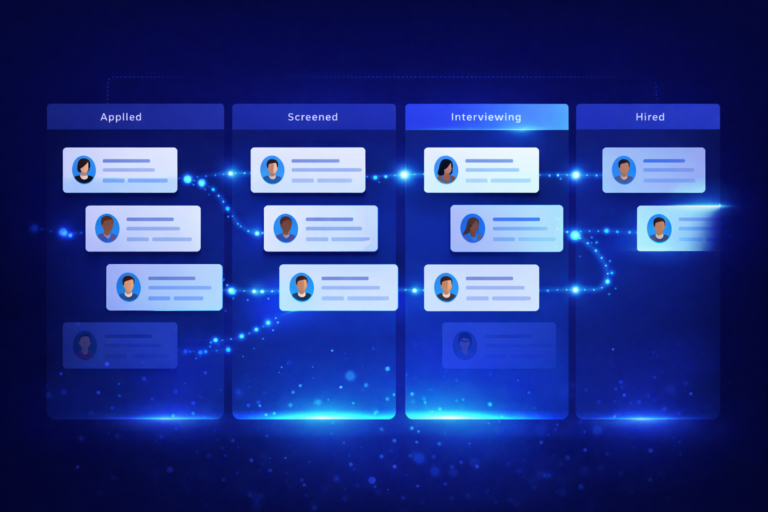
Every project is a Board, an easy-to-read table where you can see who’s doing what, when it’s due, and whether it’s on track.
It’s visual, intuitive, and doesn’t take a week-long bootcamp to figure out.
Better yet, it’s flexible:
- Run traditional projects? ✅
- Live and breathe Agile? ✅
- Prefer a mash-up of both? ✅
Real-Life Ways Teams Are Winning with monday.com
Marketing Teams: Turning Chaos Into Campaigns
Instead of juggling 14 different spreadsheets and hoping someone remembered to post on launch day, marketing teams build campaign calendars that live in monday.com.
- Deadlines trigger automatic reminders.
- Slack messages fire off when creative gets approved.
- Dashboards give instant “how’s it going?” answers.
Result: more campaigns, fewer “Wait… did anyone send the email?” moments.
Software Teams: Agile Without the Hair-Pulling
For dev teams, monday.com is like Kanban boards with superpowers.
- Backlogs, sprints, bug trackers, all customizable.
- Integrations with GitHub or Jira keep code and tasks in sync.
- Automations hand off work without a single “@can-you-take-this?” DM.
Result: fewer meetings, faster delivery, and actual visibility into who’s working on what.
Ops Teams: Goodbye Spreadsheet Hell
If your operations team is still running on a Frankenstein collection of Excel files, monday.com can be life-changing.
- Visualize workloads across teams.
- Replace messy email chains with task-specific chats.
- Standardize approvals so they don’t vanish into inbox limbo.
Result: big time savings, fewer mistakes, and way less “Oh no, that was due yesterday?”
Pitfalls (and How to Dodge Them)
- Blank Board Syndrome – Avoid starting from scratch. Use templates and tweak.
- Tool Overload Panic – Integrate your current tools into monday.com so it feels like an upgrade, not “yet another thing.”
- The Meeting & Email Habit – Shift updates into monday.com and stop scheduling “quick check-ins” that eat an hour.
Quick Wins & Best Practices
- Keep Boards Clean: Group tasks, name columns clearly, and avoid “mystery statuses.”
- Automate the Boring Stuff: Let monday.com assign, remind, and update so you don’t have to.
- Dashboards = Instant Clarity: See deadlines, workloads, and KPIs at a glance.
- Turn Wins Into Templates: Found a process that works? Clone it for the next project.
- Integrate Everything: Email, calendar, Slack, make monday.com your work command center.
The Payoff: Time, Money, and Sanity Saved
Teams report:
- Thousands of hours saved yearly.
- 50% fewer emails and status meetings.
- Faster project delivery with the same (or smaller) team.
- Happier teams who actually like using the tool.
The Future: Smarter, Friendlier, More “Done”
monday.com is leaning hard into AI.
Soon, you’ll be able to type, “Build me a marketing launch board,” and it’ll create it, with deadlines, automations, and dashboards already in place. AI assistants will flag risks before they explode, or even schedule the meeting for you.
It’s also doubling down on customization, so you can build mini-apps inside monday.com without knowing a lick of code.
Bottom Line
monday.com isn’t just another piece of software. It’s the workday sidekick that keeps you organized, keeps the team aligned, and makes scaling a whole lot less scary.
If you’re ready to trade spreadsheet chaos for clarity, ditch endless emails, and give your team more time to do the work they actually care about, this might just be your new favorite tool.
If you need some help, book a call on our services page!