🧱 Agile CRM Data Model and Core Objects
Agile CRM is built around traditional CRM entities: Contacts, Companies, Deals, Cases (Tickets), Tasks, Events, Campaigns, Notes/Timeline, and Tags.
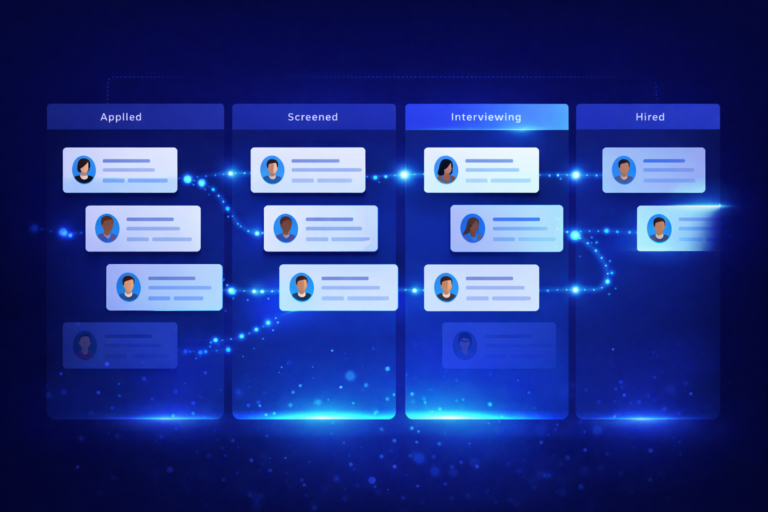
A Deal record contains a timeline of activities, notes, related contacts, tasks, and events. Contacts, Companies, Deals, and Cases all support custom fields such as text, date, and dropdowns. Deals also include a pipeline with milestone stages and fields like Name, Owner, Expected Value, Close Date, and Status. Cases support stages such as Open, Pending, and Closed.
Agile CRM does not support arbitrary custom objects or freeform tables. All records must conform to one of the predefined entity types. Relationships exist between objects, but you cannot define new object types or relational tables beyond what the CRM provides.
This means any attempt to use Agile as a content system requires forcing content records into an existing CRM object.
If one object must be chosen, Deals are the most flexible option. They support pipelines, custom fields, and activity timelines. However, they carry strong sales semantics, such as value, probability, and win/loss states, which do not translate cleanly to content workflows.
📝 Agile CRM for Content Records
To represent a single piece of content, the most realistic approach would be to repurpose Deals:
- Content idea and title stored in the Deal Name or a custom text field
- Draft and final copy stored in the Deal Description or custom long-text fields
- Platform targeting handled via a dropdown custom field or tags
- Lifecycle status modeled using Deal Milestones such as Idea, Draft, Review, Approved, Scheduled, Posted
- Approval metadata stored in custom fields like Reviewer and Approval Date
- Scheduling metadata stored in Close Date or a custom date/time field
- Campaign grouping optionally handled via Agile Campaigns, though campaigns are designed for email marketing, not individual posts
Custom fields allow Agile to technically store this metadata, but the structure is rigid. There is no native support for multiple text versions, structured approvals, or true content iteration. Updating draft text overwrites previous content unless manual notes are created.
Cases could also be used, but they are even more constrained and lack pipeline flexibility. Tasks are not viable as standalone content containers because they are intended to be sub-records attached to another object.
If forced to choose, Deals are the least-bad option, but they are still an awkward fit.
⚠️ Limitations of Using Agile CRM for Content Workflows
Agile CRM is not designed to function as an editorial or operational workflow system.
Data Structure Constraints
There are no custom objects or tables for posts. All content must live inside CRM records. Field types and layouts are limited, and adding structure beyond basic metadata quickly becomes awkward.
Custom Field Limitations
While custom fields exist, they are tied to CRM entities. Storing multiple drafts, revision notes, or structured approvals requires workarounds such as notes or tasks.
Reporting and Filtering
Agile reporting is optimized for sales metrics. Filtering by custom fields is possible, but complex reporting such as content volume by platform, approval cycle time, or scheduled versus published posts is limited and often requires exports or external tools.
Collaboration and Visibility
There is no board or calendar-style view for content. Collaboration happens inside individual record pages. Multiple users can access records, but the experience is CRM-centric and not intuitive for editorial collaboration.
Audit Trail and History
Agile maintains an activity timeline showing updates, notes, and status changes. However, it does not provide version history for text fields. Draft edits overwrite prior content unless manually preserved in notes.
Status Transitions and Workflow Enforcement
Deal milestones can represent states, but Agile does not enforce workflow rules. Users can skip stages, regress states, or make changes without validation unless external automation is layered on top.
Multi-step Workflows and Versioning
There is no native concept of approvals, gated steps, or iterative content versions. “One record, many drafts” must be simulated through notes, tasks, or duplicated fields.
Overall, Agile can store content data, but it does not manage content workflows cleanly.
🔌 Make.com Integration Capabilities for Agile CRM
The Make.com Agile CRM connector supports standard CRUD operations across Contacts, Companies, Deals, Tickets, and Tasks.
Triggers
Make can watch for record creation and updates using polling-based triggers. Some modules support detecting milestone changes or new notes. There are no native field-level change triggers, meaning scenarios must inspect records and determine what changed.
Actions and Searches
Make can create and update Deals, Tasks, Notes, and other CRM objects. If a required operation is missing, custom HTTP calls to the Agile API can be used.
Limitations
The connector relies on polling rather than event-driven webhooks. This introduces latency and increases the risk of missed or duplicate executions. Field deltas are not automatically provided, so comparisons must be handled manually inside scenarios.
Workarounds
Agile does support webhooks at the platform level, but Make does not natively consume them through the Agile app. To achieve near real-time behavior, a custom webhook setup is required using Make’s generic webhook module and Agile’s webhook configuration.
Compared to monday.com’s Make integration, Agile offers less control, fewer granular triggers, and more operational overhead.
🔄 End-to-End Content Automation Using Agile CRM
If Agile were used as the content database, the workflow would look like this:
1. Store Content Record
Each post is created as a Deal. Metadata is stored in custom fields. Draft content lives in the description or a text field.
Trigger: Watch Deals by created time.
Failure modes: polling delays, missed records, accidental overwrites.
2. Detect Approval or Readiness
Deal milestone or custom status field indicates readiness.
Trigger: Watch Deals by updated time or milestone change.
Failure modes: late detection, skipped stages, inconsistent status updates.
3. AI Drafting
Make sends the idea to an AI module and writes the output back to the Deal.
Failure modes: duplicated drafts if triggers fire twice, overwriting manual edits.
4. Human Review
Make creates a Task for a reviewer or relies on manual review inside the Deal.
Failure modes: unclear ownership, missed task updates, no enforced approval logic.
5. Final Approval
Reviewer updates milestone or status field.
Failure modes: lack of audit clarity, accidental regressions.
6. Scheduling and Publishing
Scheduled date stored in Deal. Make runs a scheduled scenario to publish and then updates status.
Failure modes: timezone ambiguity, failed publishes without native retries.
Common Workarounds
- Use milestones or custom fields as states
- Use notes to store draft iterations and feedback
- Use tasks to represent approval steps
- Accept that reporting and visibility will be limited
In practice, Agile functions best as a partial content source or trigger point, not a full content hub.
⚖️ Comparative Assessment: Agile CRM vs monday.com for Content Operations
Data Model Fit
monday.com provides flexible boards and columns designed for arbitrary workflows. Agile CRM enforces a CRM schema, making content workflows feel forced and brittle.
Workflow Modeling
monday.com supports statuses, approvals, dependencies, and automation natively. Agile relies on milestones and external automation with no enforcement.
Collaboration
monday.com is built for shared visibility, comments, and dashboards. Agile collaboration is record-centric and sales-oriented.
Automation Reliability
monday.com supports webhook-based triggers with fine-grained control. Agile relies on polling and custom logic, increasing complexity.
Scalability
monday.com scales cleanly as content volume and team size grow. Agile becomes increasingly awkward as more posts, reviewers, and reporting needs are introduced.
At a structural level, this is a CRM-first system versus a work-management-first system. That architectural intent matters.
✅ Final Recommendation and Scenarios
Can Agile CRM replace monday.com for a content automation engine?
In most cases, no.
Agile CRM can technically store content-related data, but it is not designed to manage structured content pipelines. Using it as the single source of truth introduces unnecessary complexity and operational risk.
Where Agile could work
- Solo creator or very small team
- Low posting volume
- Minimal approvals
- Short content lifecycle
- High tolerance for manual work
Where it breaks down
- Multiple reviewers or approvals
- High posting volume
- Reuse and repurposing of content
- Strict scheduling requirements
- Reporting and audit needs
The moment content becomes a system rather than an activity, Agile CRM starts to show strain.
🧩 What I Would Implement
I would implement a hybrid architecture:
- Use monday.com as the content system of record
- One item per post
- Dedicated fields for idea, draft, approval, scheduling
- Clear visibility and collaboration
- Use Make.com for automation
- AI drafting
- Review routing
- Scheduling and publishing
- Use Agile CRM strictly as a CRM
- Contacts, deals, sales workflows
- Optional triggers into content creation if needed
If Agile must be used, I would:
- Use Deals as content records
- Create a dedicated “Content” pipeline
- Use milestones as states
- Use tasks for reviews
- Use notes for draft history
- Accept limited reporting and visibility
But the recommended approach remains:
monday.com for content operations, Agile CRM for CRM, Make.com as the automation layer between them.
Try Monday free with this link: https://try.monday.com/flowfam-trial
Try Make.com free with this link: https://www.make.com/en/register?pc=flowfam