Building an HR ticketing system on monday Service is one of the highest-leverage moves a mid-market HR team can make. If your team is fielding employee questions through a shared inbox, Slack DMs, Teams messages, and hallway conversations, you already know the problem: nothing is tracked, nothing is measured, and the same questions get answered dozens of times a week.
Most mid-market HR teams (500 to 5,000 employees) have outgrown ad hoc request handling but aren’t ready for a six-figure ServiceNow HRSD deployment. monday Service sits in that gap. It gives you real ticketing, SLA tracking, and workflow automation without the 6-month implementation timeline or the enterprise price tag.
We’ve built these systems for HR teams across multiple industries at FlowFam’s HR Service Delivery practice. This guide walks you through the full setup, from planning your request taxonomy to launching your first SLA-tracked HR help desk.
🎯 Why HR Teams Need a Real Ticketing System
Here is the pattern we see in almost every mid-market HR department before they move to structured ticketing:
Employee requests arrive through email, Slack, Teams, phone calls, and people stopping by your desk. Some requests get handled immediately. Some sit in an inbox for days. Some get lost entirely. Nobody knows how many requests the team handles per week, what the average response time is, or which categories consume the most HR bandwidth.
Leadership asks for data on HR operations, and the honest answer is “we don’t have it.” SLAs don’t exist because there is no system measuring them. Compliance requests (I-9 reverifications, employment verifications, ADA accommodation tracking) rely on individual memory rather than auditable workflows.
A proper HR ticketing system on monday Service fixes all of this. Every request becomes a tracked ticket with an owner, a priority, a category, and a measurable resolution time. If you’ve already read our guide on monday.com for HR teams, think of this as the next step: moving from “boards for HR” to a genuine service delivery operation.
🔧 Why monday Service (Not monday Work Management)
monday.com offers two product lines: monday Work Management (the project and workflow tool most people know) and monday Service (the service management platform). For HR ticketing, you want monday Service specifically. Here is why:
The SLA column alone is reason enough. It tracks time to resolution with a live countdown, pauses automatically outside business hours, and triggers automations when a ticket is about to breach. You can’t replicate that reliably on monday Work Management.
Step 1: Plan Your HR Request Taxonomy
Before you touch monday Service, map out the types of employee requests your HR team actually handles. This taxonomy drives everything: board structure, routing rules, SLA targets, and reporting.
Based on our work building HR Service Delivery systems on monday, here are the categories that cover most mid-market HR teams:
📋 Benefits & Enrollment
Health insurance questions, FSA/HSA inquiries, open enrollment support, COBRA, life events
💰 Payroll & Compensation
Pay discrepancies, direct deposit changes, tax withholding updates, bonus inquiries, pay stub questions
📅 Time Off & Leave
PTO balance inquiries, FMLA requests, leave of absence processing, accommodation requests
📝 Policy & Compliance
Policy clarifications, I-9 reverification, employment verifications, handbook questions, workplace concerns
🚀 Onboarding
New hire paperwork, equipment requests, system access provisioning, Day 1 readiness, orientation scheduling
🔄 Lifecycle Events
Transfers, promotions, title changes, department moves, terminations, offboarding checklists
Step 2: Build the HR Tickets Board
Create a new Tickets board in monday Service. This is your system of record for every employee request.
Here are the columns we recommend for an HR ticketing board:
Use groups to organize tickets by status stage: New Requests, In Progress, Waiting on Employee, and Resolved This Week. Or, if your team prefers, group by request category so each HR specialist sees their queue at a glance.
Step 3: Set Up the Employee Service Portal
The service portal is how employees submit HR requests without needing a monday.com license. This is one of the most important features in monday Service for HR teams because your entire workforce can submit and track requests through a branded web form.
Here is how to configure it for HR:
Open your Tickets board and click the Service Portal icon in the top bar. monday Service creates a portal URL tied to your board.
Customize the intake form. Map form fields to board columns: Request Category (dropdown), Description (long text), Priority (if you want employees to self-select), and any file upload fields for supporting documents.
Add conditional fields. If the employee selects “Benefits” as the category, show follow-up fields for plan type and enrollment period. If they select “Onboarding,” show fields for start date and hiring manager.
Share the portal link with your organization. Embed it in your intranet, pin it in your HR Slack channel, or add it to your company’s internal wiki. Employees can submit and check the status of their requests from this portal without a monday.com account.
If you are already using monday.com WorkForms for intake, note that WorkForms and the Service Portal are different features. WorkForms creates items on Work Management boards. The Service Portal creates tickets on Service boards with SLA tracking enabled by default.
Step 4: Configure SLA Policies for HR Tickets
SLAs are what turn a shared inbox into a service operation. Without SLA targets, there is no accountability and no way to measure performance. The SLA column in monday Service tracks time to resolution with a live countdown timer that shows whether each ticket is within target, approaching breach, or overdue.
Here are the SLA targets we typically recommend for mid-market HR teams as a starting point:
To configure the SLA column: add it to your Tickets board, set the business hours (so the clock pauses nights and weekends), choose which statuses pause the timer (like “Waiting on Employee”), and set the target duration per priority level.
Want This Built for Your HR Team?
We build HR ticketing systems on monday Service that go live in weeks. Book a free discovery call and we’ll walk through your specific setup.
Book a Free Discovery CallStep 5: Build Routing and Escalation Automations
Automation is what makes the ticketing system scale. Without it, someone on your HR team has to manually triage every request, assign it to the right person, and follow up when things stall. With the right automation recipes in monday Service, most of this happens automatically.
Here are the core automations we set up for every HR ticketing implementation:
🎯 Auto-Route by Category
Recipe: When Request Category changes to “Benefits,” assign ticket to [Benefits Specialist]. Repeat for each category. This ensures every ticket hits the right person’s queue instantly.
⏰ SLA Breach Warning
Recipe: When SLA status changes to “About to breach,” notify the assigned agent and their manager. This gives your team a window to act before the SLA is actually missed.
🔔 New Ticket Notification
Recipe: When a new ticket is created, send a notification to the HR team channel (Slack or Teams) with the ticket category, priority, and link.
📧 Employee Status Update
Recipe: When Status changes, send an email to the employee with an update. This keeps employees informed without HR having to manually reply to every request.
📁 Auto-Archive Resolved Tickets
Recipe: When Status changes to “Closed” and it has been more than 7 days, move to the Archive group. This keeps the active board clean while preserving the audit trail.
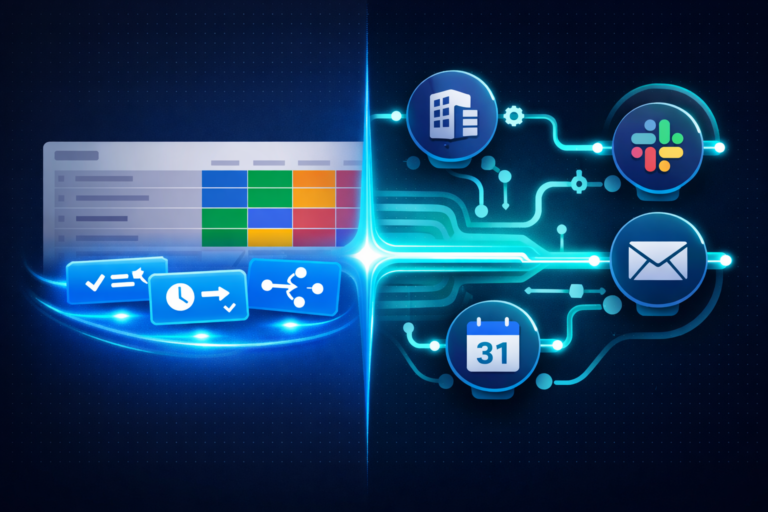
If you need automations that go beyond monday’s native recipes (like syncing ticket data to an HRIS or triggering multi-step approval workflows), you can extend with Make.com. We covered the tradeoffs in our guide on monday.com automation vs Make.com.
Step 6: Connect Multi-Channel Intake
Employees don’t change their behavior just because you launched a ticketing system. They’ll still email HR, DM you on Slack, or send a Teams message. The solution isn’t to fight this. It’s to capture every channel automatically.
monday Service supports three intake channels out of the box:
📧
Email Integration
Connect your HR inbox (Gmail or Outlook). Incoming emails automatically become tickets with the sender, subject, and body mapped to board columns.
🌐
Service Portal
The self-service web form covered in Step 3. Employees get structured intake and can check status without a license.
💬
Slack / Teams
Use the monday.com Slack integration or Teams integration to let employees create tickets from a message.
Step 7: Build Reporting Dashboards
The dashboard is where you answer the questions leadership keeps asking: How many requests does HR handle per week? What’s the average resolution time? Which categories are growing? Are we meeting our SLAs?
Here are the dashboard widgets we recommend for your HR ticketing system on monday Service:
📊 Ticket Volume by Category (Chart widget, pie or bar): Shows which request types consume the most HR bandwidth. If 40% of tickets are PTO balance inquiries, that’s a signal to build a self-service knowledge article.
⏱️ Average Resolution Time (Numbers widget): Track overall and per-category. Trending up? You might need more headcount or better automation.
✅ SLA Compliance Rate (Numbers or Battery widget): Percentage of tickets resolved within SLA target. This is the number your CHRO wants on their desk.
👤 Agent Workload (Chart widget): Tickets assigned per team member. Helps prevent burnout and rebalance work when someone is overloaded.
📈 Tickets Over Time (Chart widget, line): Weekly or monthly ticket volume trend. Essential for headcount planning and identifying seasonal spikes (open enrollment, year-end, etc.).
For a deeper dive on dashboard configuration, check our guide on fixing monday.com dashboard problems. The same principles apply to Service dashboards.
Connecting Your HRIS (ADP, Workday, UKG)
An HR ticketing system becomes significantly more powerful when it’s connected to your HRIS. Instead of asking employees to type their department, manager, and employee ID on every request, you can auto-populate those fields from your system of record.
Common HRIS integration patterns we build for an HR ticketing system on monday Service:
Employee Directory Sync
Pull employee names, departments, managers, and locations from ADP, Workday, or UKG into monday.com. When an employee submits a ticket, their profile data auto-populates so the HR agent has full context without asking.
Onboarding Trigger
When a new hire record is created in iCIMS or your HRIS, automatically generate an onboarding ticket on the HR Tickets board with all Day 1 readiness tasks as subitems. This is where the employee onboarding setup connects to your ticketing system.
Lifecycle Event Processing
When a transfer, promotion, or termination is initiated in your HRIS, trigger a lifecycle ticket on the board with the appropriate checklist. This ensures nothing falls through the cracks during employee transitions.
These integrations typically run through Make.com or direct API connections. If you’re already using monday.com for HR, adding the HRIS connection layer is usually straightforward because the board architecture already exists.
❓ Frequently Asked Questions
Ready to Build Your HR Ticketing System?
FlowFam builds HR Service Delivery systems on monday Service for mid-market HR teams. We handle the board architecture, SLA configuration, automation rules, HRIS integrations, and reporting dashboards so your team can focus on serving employees.
Book a Free Discovery Call