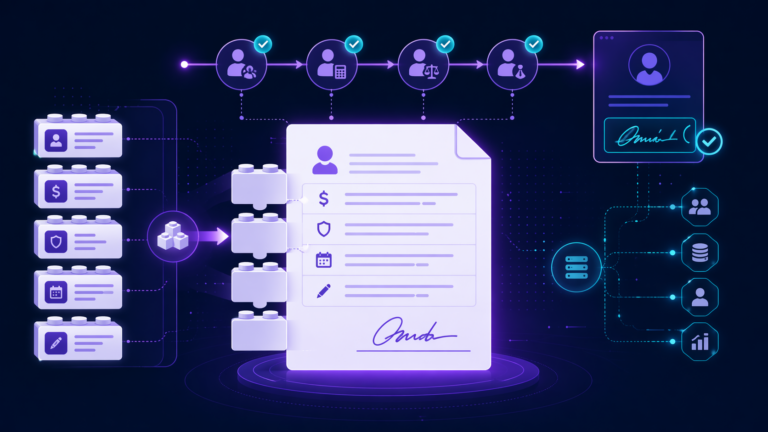
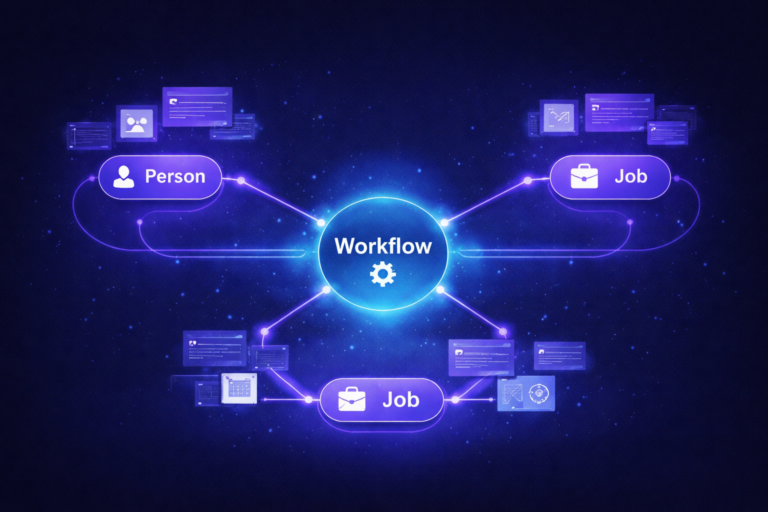
A recruiter opens a requisition, posts it, and a day later a hiring manager asks why the role is not on LinkedIn. That question lands on the ICIMS admin, and the honest answer is that the job passed through two systems and a LinkedIn review process on the way. ICIMS jobs not posting to LinkedIn is rarely one bug. It is a chain, and this post walks the chain in the order we check it on client instances.
We wrote this for ICIMS administrators, TA Operations leads, and HRIS managers who own the job board layer. If you are still deciding how to connect ICIMS to boards in the first place, start with our ICIMS job board integrations setup guide and come back here when something goes quiet.
How ICIMS jobs reach LinkedIn (three paths)
You cannot troubleshoot a pipe you cannot picture. There are three ways an ICIMS requisition ends up as a LinkedIn job, and each one fails differently.
LinkedIn reads your external ICIMS career portal on a schedule and creates basic jobs (or fills your job slots) from what it finds. Activated through your ICIMS account team, not a self-serve toggle.
LinkedIn’s API-based integration. ICIMS sends the job and its application questions to LinkedIn in real time, and applications flow back into ICIMS. Requires a Recruiter Corporate or Professional Services license.
A recruiter posts the job by hand in LinkedIn Recruiter and pastes the ICIMS apply link. Works, but it is the number one source of duplicates and of “we ran out of job slots” tickets.
LinkedIn’s own developer documentation now describes XML feeds and scraping as legacy ingestion and points ATS partners toward the API. ICIMS supports Apply Connect, and ICIMS has publicly described it as a jobs integration between the ICIMS Talent Cloud and LinkedIn Jobs. Most of the instances we audit are still on Job Wrapping, though, so the first six causes below apply to wrapping and the notes call out where Apply Connect behaves differently.
Cause 1: The job is not on an external career portal with an eligible status
Problem. LinkedIn can only ingest what your public career portal shows. If the requisition was approved but never posted to an external portal, or it was posted only to an internal mobility or employee referral portal, LinkedIn never sees it. The same is true when the requisition sits in a status that your portal configuration does not treat as postable, such as Pending Approval or On Hold.
Impact. This is the single most common cause we find, and it is invisible from LinkedIn’s side. The recruiter sees a green requisition and assumes the rest is automatic.
Example. A retail client had two external portals, one for corporate roles and one for store roles, and Job Wrapping had only ever been mapped to the corporate portal. Store requisitions were posted correctly in ICIMS and were live on the career site. None of them reached LinkedIn.
Fix. Open the requisition and confirm it is posted to the external portal that LinkedIn is mapped to, not only to an internal one. Confirm the requisition status is one your portals display. Then load the public career site as a candidate and search for the job. If you cannot find it there, LinkedIn cannot either, and the fix is entirely inside ICIMS. Our career site not showing jobs troubleshooting guide covers that branch in detail.
Cause 2: Job Wrapping was never activated, or excludes the portal
Problem. Job Wrapping for ICIMS is not a checkbox in System Configuration. It is set up between LinkedIn and your ICIMS account team, and the setup includes which portal (or portals) LinkedIn reads. Teams that inherited an instance often assume wrapping is on because “jobs used to show up,” when what actually happened was a recruiter posting manually for years.
Impact. Zero jobs on LinkedIn, or only the subset from one portal, with no error anywhere in ICIMS.
Fix. Ask your ICIMS account manager two questions in writing: is Job Wrapping active for our instance, and which portal URLs is LinkedIn reading. If you added a portal after go-live (a new brand, a new region, a new division), it needs to be added to the wrapping configuration. LinkedIn also expects jobs to be associated with the actual hiring company, so a portal branded under a subsidiary may need its own Company ID mapping. This is the point where an ICIMS integration consultant earns the fee: getting the portal to Company Page mapping documented once saves the same ticket from coming back every quarter.
Cause 3: You are inside LinkedIn’s ingestion window
Problem. Wrapping is not real time. LinkedIn’s XML feed FAQ states that ATS partner feeds are scraped about every 6 hours and that changes made in the feed show up on LinkedIn by the next scrape, typically within 24 hours. A job posted at 4 pm may not appear until the next morning, and a title or location edit takes the same cycle to propagate.
Impact. False alarms. A hiring manager checks LinkedIn 30 minutes after approval and reports a problem that does not exist. Worse, an admin starts changing configuration in response and creates a real problem.
Fix. Set the expectation once, in writing, for recruiters and hiring managers: allow 24 hours after external posting before reporting a job as missing from LinkedIn. If a job is still absent after a full day and it passes Cause 1, move on to the field rules below. Apply Connect posts in real time, which is one of the practical reasons to move to it if you hold Recruiter seats.
Cause 4: The job fails a LinkedIn field rule
Problem. LinkedIn publishes the rules a basic job must pass to go live, and a wrapped ICIMS job is held to the same rules. From LinkedIn’s XML feed and job posting FAQs, the ones that bite most often are:
Fix. Make the fields LinkedIn needs required in ICIMS rather than optional. Set the description field and every location component as required on the job template your recruiters use, and add a validation step to the requisition approval so a thin description cannot be approved. This is the same discipline that makes your ICIMS source tracking trustworthy: clean inputs at the requisition, clean outputs everywhere downstream.
Cause 5: The Company Page is not set up for basic jobs
Problem. This one lives entirely on LinkedIn and nobody in TA has admin rights to it. LinkedIn’s FAQ lists “employer has opted out of third-party job ingestion” as a reason basic jobs do not go live. ATS vendors that publish LinkedIn troubleshooting notes also describe a “company is marked invalid” block, and a newer requirement that Company Page admins enable basic job posting and approve the job source before ingested jobs appear, a one-time step for new Company Pages.
Impact. Every job from that Company Page is missing, and every ICIMS check passes. Teams burn days on the ICIMS side when the switch is in Marketing’s LinkedIn admin console.
Fix. Find out who administers your LinkedIn Company Page (often Marketing or Communications, not HR). Ask them to confirm the page allows third-party job ingestion and that ICIMS, or LinkedIn’s ATS ingestion, is an approved source. If you launched a new brand page recently, this step was probably never done. Document the Company Page admin as a named contact in your ICIMS runbook so the next admin does not have to rediscover it.
Cause 6: LinkedIn merged it as a duplicate, or your job slots are full
Problem. LinkedIn deduplicates jobs by source priority and keeps the promoted version. Its FAQ is explicit that a job already posted as a paid posting on the Company Page is a reason the wrapped basic job will not go live, and that running Job Wrapping alongside another posting method creates a duplication risk. Separately, if you wrap into job slots and a recruiter also posts manually in Recruiter, the slots fill up and LinkedIn returns “no job slots remaining” for anything else.
Impact. Two symptoms that look opposite: the same job showing twice with different apply links, or new jobs never appearing because older manual postings are holding every slot. Both send candidates through inconsistent apply paths, which then corrupts your source data.
Fix. Pick one posting path per job and make it policy. If ICIMS is the system of record, recruiters do not post manually in Recruiter. A Recruiter admin can allocate job slots across the team and can disable manual posting entirely from the contract settings, which LinkedIn’s FAQ points to as the way to stop slot conflicts. Then have the admin check slot availability in the Recruiter dashboard and close stale manual postings so wrapped jobs have room to land.
Cause 7: A DNI tag, a confidential flag, or a LinkedIn quality review
Problem. Three job-level blockers hide in plain sight. First, the #LI-DNI tag: LinkedIn treats it as “do not ingest” and skips any job whose description carries it. Other ATS vendors have documented the same tag as the standard way to stop wrapping, so it ends up in templates and copied descriptions more often than you would expect. Second, requisitions flagged as confidential or internal in ICIMS are, by design, kept off external boards. Third, LinkedIn runs a quality review: jobs it classifies as spam do not go live, and jobs from search and staffing firms, or under generic company names, may require promotion before they appear.
Impact. One or two specific jobs missing while everything else posts fine. This pattern almost always means a job-level flag rather than a configuration problem.
Fix. Search the missing job’s description for “LI-DNI” and remove it. Check the confidential and internal flags on the requisition. If neither applies, and the job is from a staffing entity or a Company Page with a generic name, LinkedIn’s rules mean it needs a paid promotion to be visible, and that is a budget conversation rather than a configuration one. For anything else, open a LinkedIn support ticket with the job URL and Company Page URL, which is the minimum LinkedIn asks for in an ingestion case.
The 10 minute diagnostic checklist
Run these in order. Stop at the first one that fails; that is your cause.
| Check | Where | Points to |
|---|---|---|
| Job is visible on the public career site | Career portal, as a candidate | Cause 1 |
| Portal is in the wrapping configuration | ICIMS account manager | Cause 2 |
| More than 24 hours since external posting | Requisition posting history | Cause 3 |
| Description 100+ chars, full location, no stray hashtags | Requisition fields | Cause 4 |
| Company Page allows ingestion and approves the source | LinkedIn Company Page admin | Cause 5 |
| No manual or paid posting of the same job; slots available | LinkedIn Recruiter dashboard | Cause 6 |
| No #LI-DNI, not confidential, not a staffing or generic entity | Requisition description and flags | Cause 7 |
How to keep ICIMS jobs not posting to LinkedIn from becoming a recurring ticket
Fixing one job is easy. Making the problem stop showing up is a configuration and ownership question, and it is where most of the value sits.
If nobody on the team owns the job board layer day to day, that is the underlying problem. Job board connections drift when portals, brands, and LinkedIn contracts change and no one is watching. That is the kind of ongoing administration our ICIMS managed services team takes on, so the reconciliation happens before a hiring manager notices.