What Does monday.com Actually Do? A Complete Guide for Growing Teams
monday.com is not a project management tool. It is a Work OS. That distinction changes everything about how you should evaluate it, implement it, and scale it.
What monday.com Actually Is (And What It Is Not)
The most common misconception about monday.com is that it competes with tools like Asana, Trello, or Jira. It does not. monday.com is a Work OS: a flexible, no-code operating layer that sits on top of your business processes. It provides the building blocks to design structured workflows, assign ownership, automate coordination, and visualize execution across your entire organization.
Think of it this way. A project management tool gives you boards, tasks, and deadlines. A Work OS gives you the flexibility to build the exact system your organization needs, whether that is project management, CRM, service delivery, HR operations, or all of them running on one connected platform. The same foundation powers completely different configurations depending on how you architect it.
This distinction matters because it changes how you should approach the platform. You are not selecting a tool and adapting your workflow to it. You are designing how your organization operates and using monday.com as the infrastructure to support it.
Four Products, One Platform
monday.com has evolved from a single product into a full suite. Each product is purpose-built for a specific category of work, but they all share the same Work OS foundation. That means data flows between them, dashboards can pull from any product, and automations can cross boundaries.
monday Work Management
The core product. Project planning, task management, cross-team workflows, and operational visibility.
- Product roadmaps and campaign launches
- Client delivery and resource planning
- HR onboarding and internal processes
- Cross-department coordination
monday CRM
Built for revenue teams. Pipeline tracking, deal management, forecasting, and client communication.
- Sales pipeline and deal stages
- Email integration and activity tracking
- AI-powered lead scoring
- Forecast dashboards and revenue reporting
monday Dev
Purpose-built for product and engineering teams. Sprint planning, bug tracking, and release management.
- Sprint planning and backlog management
- Bug tracking and issue resolution
- Git integrations and dev templates
- Release roadmaps and agile workflows
monday Service
Service management and ticketing. Internal IT requests, client support, and SLA-driven operations.
- IT ticketing and internal service desks
- Client request intake and routing
- Issue escalation and SLA monitoring
- Automated replies and categorization
Why this matters for growing teams: As your organization scales, you do not need to adopt a different platform for each function. Work Management, CRM, Dev, and Service share the same data layer. A deal in your CRM can trigger a project in Work Management. A service ticket can link to a Dev sprint item. This eliminates the data silos that plague growing companies.
Five Problems monday.com Actually Solves
Understanding what monday.com does requires understanding the problems it addresses. These are the operational friction points that growing teams encounter as they scale past the point where email, spreadsheets, and informal coordination can sustain them.
Tool Fragmentation
Too many platforms, not enough connectionOrganizations adopt CRM, project management, HR software, spreadsheets, email, and Slack separately. Each tool serves its purpose, but none of them talk to each other meaningfully. Cross-functional work becomes invisible, and teams spend more time switching contexts than executing. monday.com becomes the coordination hub where work from multiple departments connects through shared data, automations, and dashboards.
monday.com consolidates cross-functional visibilitySpreadsheet Limitations
Outgrowing the grid without realizing itSpreadsheets lack ownership visibility, automation capability, real-time dashboards, permission logic, and version control. They work until they do not, and the breaking point usually arrives when the team realizes they cannot answer basic questions about who is responsible for what. monday.com provides the familiar grid interface that spreadsheet users expect, but adds the structure, automation, and reporting that spreadsheets cannot deliver.
monday.com upgrades structured data with automation and accountabilityUnreliable Reporting
Data exists but trust does notManual exports, dashboard rebuilding, and data reconciliation create a reporting environment where nobody fully trusts the numbers. In monday.com, dashboards are connected directly to structured boards. When the underlying data is clean and well-architected, reporting becomes real-time and reliable. The key is that dashboards only reflect what the board structure captures, which is why architecture matters more than features.
monday.com connects dashboards directly to structured operational dataDisconnected AI
AI tools that require constant context-switchingMost AI tools require you to copy context, paste it into a separate interface, and then bring the results back. monday.com integrates AI directly into workflows. Summaries, status updates, formula generation, workflow suggestions, and CRM insights all happen within the platform, on the data that already exists in your boards. The AI does not need to be taught your context because it is already operating inside it.
monday.com embeds AI inside your operational dataSiloed CRM and Operations
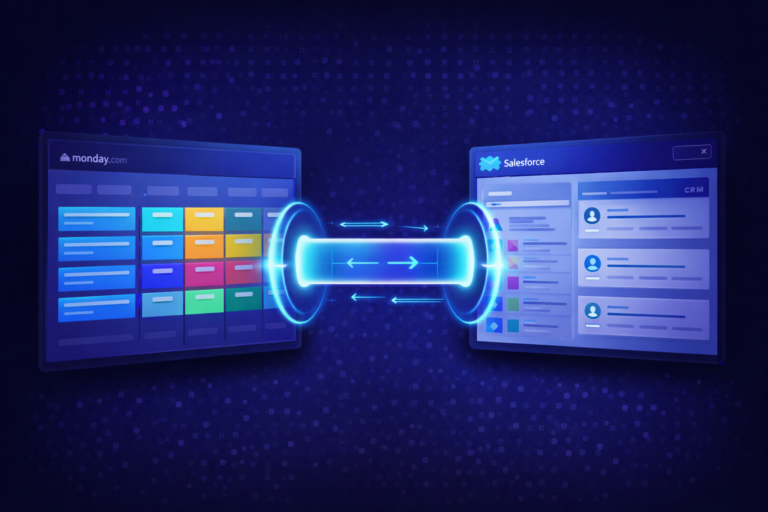
Sales closes deals that operations cannot findWhen sales, delivery, and finance run on separate systems, every handoff creates friction. Sales closes a deal and delivery does not have the context. Finance needs billing data that lives in a different platform. monday.com consolidates these functions on one foundation. A deal moves from CRM to a delivery board through automation, carrying all the context with it. No copy-pasting, no information loss, no “I did not know that was closed.”
monday.com connects revenue and operations on one platformHow monday.com Compares (And Why the Comparison Is Misleading)
Comparing monday.com to Asana, ClickUp, or HubSpot is common but slightly misleading. Each platform has a primary focus. monday.com’s differentiator is flexibility and cross-department extensibility. It can function as a project manager, CRM, service desk, or operations tracker depending on how it is configured.
| Capability | monday.com | Asana | ClickUp | HubSpot |
|---|---|---|---|---|
| Project Management | Full (Work Management) | Primary focus | Primary focus | Basic |
| CRM / Sales Pipeline | Dedicated product | No | Basic | Primary focus |
| Service / Ticketing | Dedicated product | No | Limited | Service Hub |
| Dev / Sprint Management | Dedicated product | No | Sprints add-on | No |
| No-Code Automation | Extensive | Rules-based | Extensive | Marketing-focused |
| Cross-Department Use | Core design principle | Limited | Possible | Marketing + Sales |
| AI Integration | Platform-wide (sidekick, magic, agents) | Basic AI | AI features | Breeze AI |
| Flexibility / Customization | No-code Work OS | Template-based | Highly customizable | Config-heavy |
What Teams Actually Build Inside monday.com
The versatility of monday.com means different organizations use it for entirely different purposes. Here are six common configurations that growing teams deploy.
Client Delivery Tracking
Agencies and service companies track projects from signed contract through delivery, with automated handoffs from sales to operations.
Employee Onboarding
HR teams build structured onboarding workflows with automated task assignment across IT, HR, and the hiring manager. Every step is tracked and visible.
Sales Pipeline + Forecasting
Revenue teams manage deals through custom stages with AI-powered scoring, automated follow-ups, and forecast dashboards that leadership trusts.
Approval Workflows
Multi-step approval chains for budget requests, vendor onboarding, or content sign-off. Automated routing, escalation, and audit trails built in.
Process Documentation
Operations teams document systems, integrations, change logs, and roadmaps in connected boards that stay current through automations instead of going stale.
Internal Service Desk
IT and operations teams handle internal requests through forms, automated categorization, SLA tracking, and trend reporting that surfaces recurring issues.
Is monday.com Right for Your Team?
monday.com is powerful, but it is not the right fit for every organization. Knowing when the platform makes sense and when it may not helps you avoid wasting time and budget on a tool that does not match your current needs.
Strong Fit
- Organizations with repeatable, structured processes
- Teams experiencing coordination strain across departments
- When reporting has become a manual, time-consuming exercise
- When ownership clarity is breaking down
- Companies scaling from 15 to 200+ employees
- Teams ready to consolidate multiple tools onto one platform
Consider Carefully
- Very small teams under 10 with simple workflows
- Highly ad hoc work environments with no repeatable processes
- Processes that change fundamentally every week
- Teams that need deep single-purpose features over breadth
- Organizations not ready to invest in proper setup
- Teams that only need basic task tracking
AI Capabilities That Change How Teams Use monday.com
AI in monday.com has moved well beyond basic automation. In 2026, the platform includes multiple AI capabilities that fundamentally change how teams interact with their data and workflows. For growing teams, understanding these features matters because designing your architecture with AI in mind produces significantly better results than adding AI to an existing setup.
monday sidekick
Your AI assistant inside monday.com. Ask questions about your data in natural language, get summaries of board activity, and receive suggestions for next steps. Sidekick operates on your actual operational data, not on information you have to feed it separately.
Natural Language Interfacemonday magic
Content generation, document analysis, formula creation, and data extraction built directly into your boards. Generate task descriptions, summarize updates, analyze uploaded documents, and create formulas without leaving your workflow.
Content + Data Intelligencemonday vibe
Build workflows by describing them in plain English. Instead of manual board configuration, describe the process you need and the platform generates the structure, columns, automations, and views. This reduces the technical barrier to implementation significantly.
Natural Language Buildingmonday agents
AI-powered specialists that handle end-to-end tasks. Agents can onboard new users, customize board configurations, provide workflow guidance, and execute operational tasks that previously required manual administrator effort.
Autonomous Task ExecutionAI Workflows
Intelligent automation triggers that go beyond simple if-then rules. AI can route tasks based on workload and expertise, escalate items at risk of missing deadlines, flag data anomalies, and suggest workflow improvements based on patterns in your operational data.
Intelligent AutomationHow to Implement monday.com the Right Way
The tool is powerful. But structure is what makes it work. Most teams that abandon monday.com did not have a tool problem. They had an implementation problem. Here are the five steps that separate successful deployments from expensive shelfware.
Define One Core Workflow
Start with a single process, not the whole organizationPick one repeatable process: a sales pipeline, client onboarding, campaign launch, or internal request workflow. Build it properly before moving to the next. Teams that try to build multiple boards for different departments simultaneously end up with a collection of disconnected, poorly-structured boards that nobody trusts.
Establish Ownership Logic
Clarity before configurationBefore touching the platform, answer these questions: Who owns each type of work item? What does each status actually mean? How does work move from one stage to the next? What triggers a handoff? Without ownership clarity, no platform will solve coordination problems. You will just digitize the confusion.
Build Structure Before Dashboards
Data architecture drives reporting qualityDashboards are the most requested feature and the easiest to get wrong. A dashboard only reflects what the underlying board structure captures. If your columns are inconsistent, your groups are unclear, and your data model is improvised, no dashboard will produce useful insight. Design your data model, column structure, and board architecture first. Then dashboards build themselves.
Introduce Automations Carefully
Automations amplify whatever existsAutomations are powerful but they are not a fix for broken processes. If your workflow is clean and well-structured, automations multiply efficiency. If your workflow is broken, automations multiply chaos. Start with simple, high-impact automations: status change notifications, due date reminders, and item creation triggers. Layer complexity as your team becomes comfortable with the logic.
Layer AI After Structure Exists
Clean architecture produces AI leverageAI features like sidekick, magic, and agents work best on top of clean, well-structured data. When your boards are properly architected, AI can summarize meaningful updates, surface real patterns, and automate with confidence. When your data is messy, AI amplifies the mess. Build the structure first, then let AI enhance it.
monday.com Implementation Readiness Checklist
Use this checklist to assess how prepared your team is for a successful monday.com deployment.
- We have identified the single workflow we will implement first
- Ownership is clear for every type of work item in that workflow
- Status definitions are agreed upon by the team
- We understand what data we need to capture and report on
- Cross-department handoff points are mapped
- We have identified which current tools monday.com will replace or complement
- Naming conventions are established for boards and items
- We know which automations we want to implement first
- Dashboard and reporting requirements are documented
- We have an expansion plan for adding additional teams over time
- A change management plan exists for team adoption
- Success criteria are defined so we can measure if the implementation is working
Frequently Asked Questions
Ready to Build monday.com the Right Way?
FlowFam is a certified monday.com implementation partner. We help growing teams design the architecture, automations, and workflows that turn a platform purchase into operational clarity.
Book a Discovery Call