ICIMS Event Notifications setup gives your team a way to push information out of ICIMS the instant something happens, instead of building a script that repeatedly polls the API to check for changes. If you are connecting ICIMS to a HRIS like Workday, UKG, or ADP, or to any third party system that needs to know the moment a candidate applies or a workflow status changes, Event Notifications is the feature built for that job. This guide walks through where the feature lives, how to secure it, the response window ICIMS expects, and the mistakes that trip up most first-time setups.
What Are ICIMS Event Notifications?
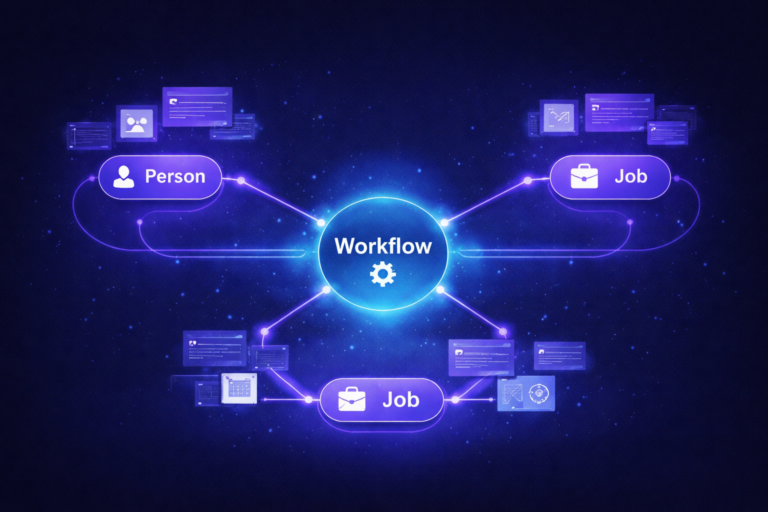
Push events augment the ICIMS API with real-time delivery. Instead of your integration checking in every few minutes to ask whether anything changed, ICIMS tells your system the moment it does, over an HTTPS POST request. That is the core distinction worth holding onto: polling is your system asking, event notifications are ICIMS telling.
Picture this: a candidate accepts an offer at 4:47 PM on a Friday. With a polling integration checking every 15 minutes, your HRIS might not see that record until close to 5:00. With Event Notifications configured, your receiver gets the push within seconds, well before anyone has logged off for the weekend.
Your integration hits the ICIMS API on a timer, whether or not anything changed
Updates lag behind real events by minutes, sometimes longer
API usage climbs even during quiet periods
ICIMS pushes a notification the moment a subscribed event fires
Downstream systems update in near real time
API calls happen only when there is something to report
Where Event Notifications Live in ICIMS
Event Notifications are configured through the Event Notifications page inside the Platform, where an admin lists the URLs that should receive each event type. Once configured, ICIMS delivers push events as GZIP’d RESTful JSON over HTTPS, sent through the POST method, according to ICIMS’s own Event Notification Best Practices documentation.
GZIP’d RESTful JSON over HTTPS, delivered through the POST method.
200 OK for success, 303 See Other when a link response is required, 400 Bad Request for a malformed message.
Job posting, workflow status changes, application complete, and more, each configured independently.
Securing Your Event Notification Endpoint
ICIMS requires every event notification to be delivered over HTTPS with a valid SSL certificate. Self-signed certificates are not accepted. For authentication, you have three options: OAuth 2.0, HMAC, or Basic Authentication.
OAuth 2.0 needs an Access Token URL, Client ID, and Client Secret, and the token endpoint has to follow the OAuth 2.0 client credentials grant flow. HMAC signs each payload so your receiver can verify it actually came from ICIMS. Basic Authentication is the simplest of the three, trading some security rigor for setup speed, so it tends to fit lower-risk, internal-only receivers better than a production HRIS sync.
The 30-Second Rule and the Fail-Fast Pattern
ICIMS expects your receiving system to process an event notification within 30 seconds. If it does not hear back in that window, it treats the request as an unknown failure. That is a tight window if your integration tries to do too much synchronous work: validating data, writing records, and kicking off downstream actions all inside a single request.
The fix is to do the minimum work required to accept the event synchronously, then hand off anything heavier, like enrichment, multi-system writes, or notifications, to an asynchronous process. ICIMS documents this as the fail-fast pattern: acknowledge fast, do the real work after.
Six Failure Scenarios Worth Planning For
ICIMS documents six ways an event notification exchange can play out, and a well-built receiver should handle every one of them gracefully.
Get more from your ICIMS investment.
We help TA and HR Ops teams design ICIMS integrations that hold up under real hiring volume, not just a demo.
Book a Free ICIMS Strategy Call →Five Configuration Mistakes We See
Most ICIMS Event Notifications setups we have reviewed run into a small, repeatable set of issues:
- Treating every event notification as brand new, with no duplicate detection, which creates duplicate downstream records when ICIMS resends.
- Doing all the work synchronously inside the 30-second window, which times out under normal load instead of only during spikes.
- Skipping sandbox testing and configuring receiving URLs directly in production.
- Using Basic Authentication for a receiver that handles sensitive HRIS data, when OAuth 2.0 or HMAC would be the safer fit.
- Never building an internal alert for connection failures, so a broken endpoint can go unnoticed until someone downstream asks why records are stale.
None of these are platform limitations. They are receiver-side design choices, and every one of them is fixable once you know to look for it.
Event Notifications vs Workflow Rules: How They Fit Together
It is easy to conflate Event Notifications with ICIMS Workflow Rules, but they solve different problems. Workflow Rules live inside a Recruiting Workflow Profile and mostly control what happens inside ICIMS itself: entrance criteria, auto-launch prompts, and internal notifications. If your team has run into ICIMS workflow rules not triggering, it is almost always a workflow profile or login group issue, not an integration one. The same is true on the notification side. If a hiring manager is not getting an internal email, that is a Notification Profile question, which we cover in our guide to ICIMS email notifications not working.
Event Notifications, by contrast, are how ICIMS talks to systems outside itself. In practice, the two often work together: a Workflow Rule moves a candidate to a status, and that status change is one of the events your Event Notification subscription is listening for.
Sandbox-to-Production Testing Checklist
Where Event Notifications Power Workday, UKG, and ADP Integrations
Real-time HRIS integrations are one of the most common reasons teams set up Event Notifications in the first place. Instead of waiting on a nightly batch job to sync a new hire record into Workday, UKG, or ADP, an event notification can kick off that sync the moment a candidate’s status changes. Our ICIMS UKG Pro integration setup guide walks through what that looks like end to end for one specific HRIS.
Getting the receiver right, meaning duplicate handling, fast acknowledgment, and sandbox testing, matters just as much as getting the ICIMS side configured correctly. Working with an ICIMS integration consultant alongside ICIMS Professional Services can help make sure both halves of that connection are built to hold up under real hiring volume. A broader ICIMS system audit is also a good way to confirm your existing event notification setup is not quietly generating duplicate records or missing failures nobody has caught yet.
Frequently Asked Questions
Ready to build integrations that actually hold up?
We work alongside ICIMS Professional Services to design Event Notification receivers, HRIS syncs, and full ICIMS system audits for mid-market and enterprise TA teams.
Book a Free ICIMS Strategy Call →