How Dedicated iCIMS Ownership
Turned a Struggling ATS Into a High-Confidence Hiring System
The platform wasn’t broken. It just didn’t have anyone designing it with end-users in mind. Here’s what changed when someone took ownership.
Why Most ATS Implementations Underperform
Before diving into this case study, it’s worth understanding the broader context. ATS adoption problems are not unusual. In fact, they’re the norm. Research consistently shows that recruiting technology implementations struggle more with people and process than with the technology itself.
The pattern is predictable. An organization invests in a platform like iCIMS, Workday, or Greenhouse. The initial implementation goes live. And then, gradually, adoption stalls. Recruiters revert to spreadsheets and email. Support tickets pile up. Leadership loses trust in the data. The system becomes a checkbox, not a tool.
The root cause is rarely the software. It’s the absence of dedicated ownership: someone who understands both the technology and the recruiting workflows, and who takes responsibility for making the system work for the people using it every day.
The Starting Point: What Was Actually Wrong
When I stepped into the iCIMS administrator role at this organization, the recruiting team had all the symptoms of a system that lacked intentional design. The platform was technically functional, but it wasn’t serving its users. Understanding the specific problems helps illustrate why dedicated ownership matters.
What Recruiters Were Dealing With
- Dashboards cluttered with irrelevant data and unused widgets
- Workflows that didn’t match the actual recruiting process
- Minimal documentation for how or why anything was configured
- No consistent training or onboarding for new system users
- High volume of support tickets pulling recruiters away from hiring
- General lack of confidence in the system’s data and reporting
What the System Needed
- Purpose-built dashboards designed around daily tasks
- Workflows that follow the natural recruiting journey
- Clear documentation and embedded user guidance
- Proactive education instead of reactive troubleshooting
- A single point of ownership for system decisions
- Clean data that leadership could actually trust
None of these problems were catastrophic on their own. But together, they created a compounding effect. Recruiters didn’t trust the system, so they worked around it. Workarounds created dirty data. Dirty data meant leadership couldn’t trust reports. Without trustworthy reports, there was no case for investing in the system. And without investment, nothing improved.
The Five-Part Framework
The turnaround followed a structured approach. Each step built on the previous one, and the order matters. You can’t build trustworthy reports on dirty data, and you can’t clean data while workflows are pushing users into workarounds. Click each step to see the details.
What Changed
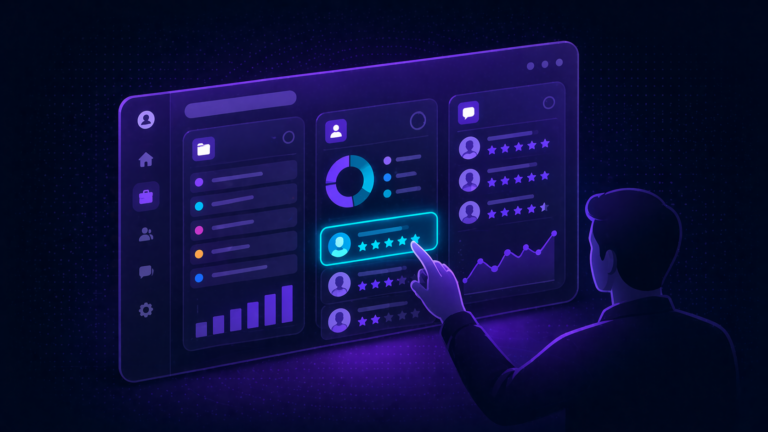
Every dashboard was stripped down and rebuilt with a single guiding principle: show users only what they need to take their next action. Unnecessary widgets were removed. Remaining elements were grouped logically and labeled clearly.
- Replaced generic data displays with task-oriented widgets
- Added clear next-step indicators so users always knew what to do
- Embedded instructional guidance directly within dashboard widgets
- Grouped related information to reduce cognitive load
- Created role-specific views for recruiters vs. hiring managers
What Changed
The existing workflows had been set up during initial implementation and never updated. They didn’t reflect how the team actually recruited. The reconstruction started with mapping the real process, then configuring iCIMS to follow it.
- Mapped the actual recruiting journey from req to hire
- Eliminated dead-end stages and redundant approval steps
- Made each stage purposeful, with clear entry and exit criteria
- Created a linear flow that eliminated scattered navigation
- Improved data trails for downstream reporting accuracy
What Changed
This step had the most lasting cultural impact. Instead of just fixing problems when users reported them, every support interaction became a teaching moment. The goal shifted from “resolve the ticket” to “make sure this person never needs to submit this ticket again.”
- Made myself available for every system question, no matter how small
- Turned each support interaction into a mini-training session
- Held regular open office hours for walkthroughs and Q&A
- Created quick-reference guides for common tasks
- Focused on building self-sufficiency, not dependency on the admin
What Changed
With dashboards working, workflows rebuilt, and users gaining confidence, the focus shifted to long-term sustainability. This meant creating governance structures and maintenance routines that would keep the system healthy over time.
- Established regular data hygiene routines (duplicate cleanup, field standardization)
- Created workflow monitoring to catch issues before users reported them
- Built governance documentation for future administrators
- Set up proactive system health checks on a recurring schedule
- Formalized change management processes for system updates
What Changed
With clean data flowing through well-designed workflows, it became possible to build reports that leadership could actually trust. This was the payoff of everything that came before it.
- Built real-time pipeline visibility dashboards for TA leadership
- Created bottleneck identification reports showing where candidates stalled
- Developed store-by-store (or team-by-team) workload distribution views
- Added workforce planning insights tied to hiring trends
- Automated recurring reports to reduce manual data pulls
Measurable Results
The transformation produced measurable improvements across several dimensions. The headline number, a 90% reduction in support tickets, tells part of the story. But the qualitative changes mattered just as much.
Transformation Impact
The 90% ticket reduction is impressive on its own. But the more meaningful outcome was what it represented: recruiters no longer fighting their tools. When a recruiter can open iCIMS, see exactly what they need to do, and do it without confusion or friction, they’re spending their time hiring. Not troubleshooting.
Lessons That Apply Beyond This Case Study
While this transformation happened in iCIMS, the principles apply to any ATS or recruiting technology platform. Here are the takeaways that translate regardless of which system you’re running.
The technology is rarely the problem
iCIMS is a capable platform. Workday Recruiting is a capable platform. Greenhouse is a capable platform. The difference between a system that works and one that doesn’t almost always comes down to how well it’s been configured, maintained, and supported. When 60% of ATS implementations fail, the failure is in execution, not in the software.
Dashboards shape behavior
What users see when they log in determines how they use the system. A cluttered dashboard with irrelevant data trains users to ignore it. A clean dashboard with clear next steps trains users to act. Dashboard design isn’t cosmetic. It’s behavioral architecture.
Workflows must mirror reality
When system workflows don’t match how recruiting actually happens, users create workarounds. Workarounds create dirty data. Dirty data destroys trust in reporting. The fix starts at the workflow level: make the system reflect the real process, and adoption follows naturally.
Education beats documentation
Documentation matters, but it’s not enough on its own. The most effective approach combines written guides with live, interactive support. Open office hours, one-on-one walkthroughs, and teaching moments during support interactions all build genuine user confidence in ways that a PDF manual never will.
Ownership can’t be part-time
The single most important factor in this transformation was dedicated ownership. Not a recruiter who also handles admin tasks. Not an IT generalist who manages iCIMS alongside five other systems. Someone whose primary responsibility is making the ATS work for its users. Whether that’s a full-time hire, a fractional resource, or an external partner depends on your organization’s size and complexity.
Signs Your ATS Needs Dedicated Ownership
If you’re reading this and recognizing your own organization, here’s a practical checklist. These are the warning signs that your ATS is underperforming due to a lack of dedicated ownership. Check the ones that apply.
Wondering If Your iCIMS Instance Is Underperforming?
We’ve helped TA teams diagnose and fix the same patterns described in this case study. If this sounds familiar, let’s talk about what a turnaround could look like for your organization.
Book a Free Consultation →