A Lever to ICIMS migration is really two projects wearing one trench coat. The first is a data project: getting Contacts, Opportunities, Postings, feedback, and files out of Lever and into the right ICIMS profiles. The second is a process project: rebuilding how your team hires inside ICIMS Talent Cloud so recruiters and hiring managers adopt it on day one. Teams that treat it as only a data project end up with a full database and an empty login screen.
We’re a certified ICIMS implementation partner, and we work alongside ICIMS Professional Services on migrations like this for mid-market and enterprise TA teams. This is the playbook we’d hand you on day one. The goal, as always: get more from your ICIMS investment, starting with the migration itself.
What does a Lever to ICIMS migration involve?
In plain terms: you export your recruiting data from Lever, translate it into the ICIMS data model, configure ICIMS to match how your team hires, load the data, verify it, and switch recruiters over on a single agreed date. Five steps, one cut-over.
Here’s why teams make the move. Lever is a strong mid-market ATS with a unified ATS and CRM. ICIMS Talent Cloud is built for scale: multi-location hiring, complex approval chains, onboarding, and a very deep partner marketplace. When a company crosses into that territory, the migration is usually part of a bigger growth story. (If you’re still deciding, our ICIMS vs Lever comparison for mid-market teams walks through the decision.)
The migration itself has a predictable shape. It’s the same phased approach we described in our Greenhouse to ICIMS migration plan, with one big difference: Lever’s data model is opportunity-centric, and that changes how you map records. More on that next.
✕ Every Lever record imported, stale profiles included
✕ Lever stages copied one-for-one into ICIMS statuses
✕ Recruiters trained on the system, not on the new process
✕ Reporting starts from zero because sources didn’t map
✓ Active pipelines and hires migrated, the rest retained in an archive
✓ Statuses designed around how the team actually hires
✓ Recruiters and hiring managers adopt ICIMS on day one
✓ Source and disposition history flows straight into ICIMS reporting
Lever vs ICIMS: the data model translation
This is the part most generic migration checklists skip, and it’s the part that decides whether your import lands cleanly.
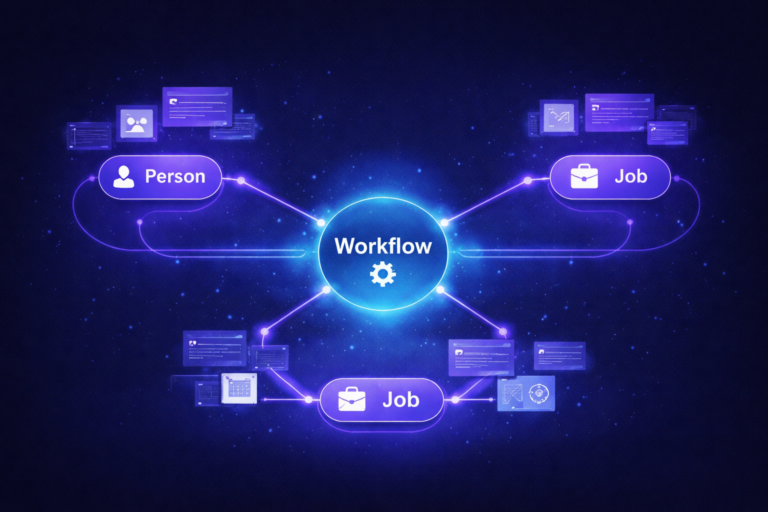
In Lever, a Contact is the unique person. Each time that person is considered for a role, Lever creates an Opportunity, and each Opportunity carries its own stage, notes, feedback, interviews, tags, sources, origin, and posting links. One person, many Opportunities.
In ICIMS, the unique person is a Person Profile and the role is a Job Profile. The link between them is called a Recruiting Workflow, and ICIMS documents it as a many-to-many relationship between Jobs and People. Each Recruiting Workflow has its own Status (the pipeline step) and its own source fields. Sound familiar? It should. A Lever Opportunity and an ICIMS Recruiting Workflow are cousins, and that’s your Rosetta Stone.
Step 1: Clean up in Lever before you export
Picture this: a moving truck shows up and you haven’t packed. Everything gets thrown in, including the wobbly lamp and three years of takeout menus. That’s what a raw Lever export looks like when nobody cleans up first.
Spend two focused weeks in Lever before you touch the export. Your future ICIMS reports will thank you.
Mini-recap: archive with intent, close what’s done, standardize values, and set a retention rule. Now you’re packing boxes instead of shoveling.
Step 2: Export from Lever and inventory what you have
By default, only Lever Super Admins can download a full data export, so line that person up early. Lever’s documentation describes what the export contains: candidate information, feedback form data, interview event details, and all profile files (including resumes) in their original format as last saved on the profile.
Two details deserve a highlighter.
Profile notes are exported in JSON rather than CSV. Someone has to transform them into ICIMS notes or a per-person document before they’re useful.
Lever’s data export does not include offers. If you need offer history, pull it separately (reports or manual export) before you lose access.
Count Contacts, Opportunities, Postings, files, feedback forms, and notes. These counts are your reconciliation targets after the load.
Once the export is in hand, resist the urge to start importing. The inventory sheet you build here is what you’ll reconcile against in Step 5, and it’s what ICIMS Professional Services will ask for when scoping the import.
Step 3: Map stages, archive reasons, and sources
Here’s the mistake we see most in a Lever to ICIMS migration: copying Lever’s stage list into ICIMS one-for-one. Lever stages are lightweight and often customized per team. ICIMS Workflow Statuses are structured, tied to automation and reporting, and shared across the platform. Map toward the ICIMS list.
ICIMS ships a standard Recruiting Workflow status list that includes steps like Reviewed, Interview Scheduled, Interview Completed, Decision Pending, Offer Extended, Offer Accepted, Start Onboarding, plus disposition statuses such as Interviewed; Not Selected and Offer Declined/Rejected. A typical mapping looks like this (your labels will vary):
Sources get the same treatment. ICIMS separates Source, Source Name, Source Channel, and Source Origin (values like Self Submission, Referral, Recruiter Submission, and Import). Lever’s single source plus origin fields have to fan out into those. Do it deliberately, because this mapping is what makes ICIMS source-of-hire reporting deliver real pipeline visibility for leadership from the first week. Our ICIMS source tracking setup guide shows how to build a source list that survives.
Step 4: Rebuild the process in ICIMS, not just the data
Out-of-the-box ICIMS implementations are a strong starting point. Teams get more from the platform once workflows are tailored to how they actually hire, and a migration is the best moment you’ll ever get to do that tailoring, because everyone is already expecting change.
Work through these configuration areas with ICIMS Professional Services while the data mapping is being finalized. Doing both in parallel is what keeps the timeline honest.
Design the status list from Step 3, then build the tabs, sections, and fields recruiters see. Our ICIMS Workflow Profiles guide covers the details.
Lever feedback forms become ICIMS iForms or interview feedback forms. Rebuild the questions you actually use, and retire the rest.
Lever’s candidate emails and nudges become ICIMS email templates and workflow rules tied to statuses. This is where recruiter time comes back.
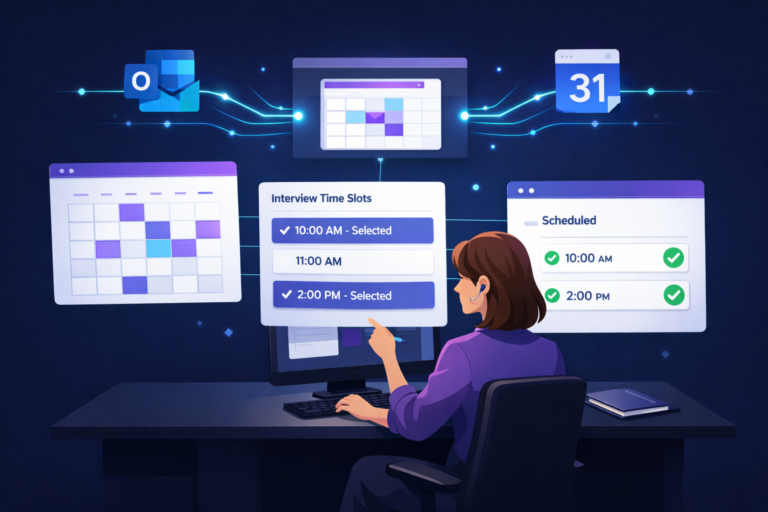
HRIS (Workday, UKG, ADP), background checks, job boards, SSO, and calendar. Inventory every Lever integration and decide: rebuild in ICIMS, replace, or retire.
Lever’s hiring managers are used to a simple view. Give them an ICIMS dashboard that matches, so adoption doesn’t dip during the switch.
Write down every mapping decision and configuration choice as you go. It’s your admin continuity plan and your audit trail in one.
Recruiters and hiring managers adopt ICIMS faster when the configuration matches their day-to-day. If a recruiter’s first login shows them a pipeline that looks like the one they ran in Lever, only with more room to grow, you’ve won the adoption battle before training even starts.
Planning a move from Lever to ICIMS?
We work alongside ICIMS Professional Services as the dedicated partner for your TA team: mapping, configuration review, testing, and adoption. Let’s scope your migration together.
Book a Free ICIMS Strategy Call →Step 5: Test load, verify, and cut over
ICIMS supports file-based imports, and its developer documentation notes that imports fail when required columns are missing, which is exactly why you test with a sample before the full load. ICIMS Professional Services runs the import mechanics; your job is to make sure what lands is right.
One more thing: schedule a 30-day check-in after go-live. That’s when the small configuration tweaks surface, and it’s a natural point for a light ICIMS system audit to confirm the new instance is set up the way the team actually uses it.
Who does what: ICIMS PS, your team, and a TA-side partner
ATS migrations to ICIMS run smoothest with a dedicated TA-side partner working alongside ICIMS Professional Services. Three parties, three clear lanes.
This isn’t a replacement for ICIMS PS. It’s an extension of your team so the platform build and the process build happen at the same time. If you’d like to see how we structure that engagement, our ICIMS implementation consulting page lays it out, and our ICIMS implementation cost guide helps you budget the whole program, migration included.
The practical next step for tomorrow: open Lever, pull your stage list and archive reasons, and draft the mapping table from Step 3. It takes an hour, and it’s the single document every other part of the migration depends on.
Frequently asked questions
Get more from your ICIMS investment from day one.
Bring us your Lever stage list and we’ll walk through the mapping together on a free 30-minute call. No pitch, just a clearer plan.
Book a Free ICIMS Strategy Call →