Still Running Your Projects in Spreadsheets? Here’s What You’re Missing
Spreadsheets were designed for calculations, not coordination. Here is what happens when teams outgrow them, and what purpose-built project management actually provides.
Why Spreadsheets Became the Default
Nobody makes a strategic decision to run their projects in spreadsheets. It just happens. A team starts tracking a few tasks. Someone adds a status column. Then a tab for each project. Then conditional formatting. Then a VLOOKUP that only one person understands.
Spreadsheets become default project management tools because they are familiar, free, and flexible. There is no procurement process, no training budget, no IT approval. Everyone already knows rows and columns. And for a small team with simple workflows, they work well enough.
The problem is not where you start. It is what happens as the team grows, the projects multiply, and the spreadsheet becomes infrastructure that nobody designed and everyone depends on.
The uncomfortable truth: Spreadsheets are excellent at what they were designed for: calculations, modeling, and data analysis. But project management requires collaboration, accountability, automation, and real-time visibility. Those are architectural capabilities that spreadsheets were never built to provide, regardless of how sophisticated the formulas become.
7 Signs You Have Outgrown Spreadsheets
These are the patterns that signal when spreadsheet-based project management is creating more problems than it solves. Click each sign for the deeper context.
When your project tracking depends on a single person who built and maintains the spreadsheet, you have a single point of failure. If that person leaves, goes on vacation, or gets promoted, the team loses operational continuity. Purpose-built platforms encode workflow logic into the system itself, not into one person’s knowledge of hidden formulas and conditional formatting rules.
If your team spends 20+ minutes each week going around the room asking “what is the status of…?” then your tracking system is not providing the visibility it should. Real-time dashboards replace verbal status updates with on-demand visibility. That meeting time can be redirected toward strategic discussion, problem-solving, and decision-making.
When multiple versions of the same spreadsheet exist with competing information, the team has no single source of truth. This is a fundamental limitation of file-based collaboration: whoever uploads last wins, and other work disappears. Dedicated platforms eliminate this entirely with a single, always-current view that the entire team shares.
Spreadsheets can display who is assigned to a task. They cannot enforce it. There are no automatic notifications when a deadline approaches, no alerts when a task is overdue, and no audit trail showing when assignments changed. Purpose-built platforms turn assignment from a passive data entry into an active accountability system with notifications, reminders, and escalation paths.
When a new hire needs multiple orientation sessions to understand which tabs to look at, which cells to update, and which formulas not to break, the system has become a barrier to productivity. Visual, board-based platforms are intuitive by design. New team members should understand where to find their work and how to update their status within minutes, not days.
When status changes require someone to manually update three different tabs, send an email notification, and update a report, the team is doing automation work by hand. Status change notifications, deadline reminders, cross-board handoffs, and reporting updates should happen automatically. Every manual touch point is a place where errors enter and time is wasted.
When a VP asks “how are we tracking against our Q2 goals?” and the answer requires someone to manually compile data from multiple spreadsheets over several hours, the reporting infrastructure has failed. Cross-board dashboards in purpose-built platforms aggregate this data in real time, giving leadership on-demand visibility without requiring anyone to build a report.
Spreadsheets vs. Purpose-Built Project Management
A side-by-side comparison of what each approach provides across the capabilities that matter most for team operations.
| Capability | Spreadsheets | Project Management Platform |
|---|---|---|
| Real-Time Collaboration | Limited; version conflicts common | Built-in with task-level comments and @mentions |
| Task Ownership | Name in a cell; no notifications | Automatic assignment, reminders, and escalations |
| Workflow Automation | Requires macros or manual effort | Native if/then automations with cross-board triggers |
| Dashboards | Manual chart creation; static data | Live, real-time dashboards with 50+ widgets |
| Dependencies | Not natively supported | Visual dependencies with automatic date shifting |
| Version Control | Error-prone; competing copies | Single source of truth; complete audit trail |
| Onboarding | High learning curve; formula knowledge required | Visual and intuitive; productive within minutes |
| Integrations | Limited; mostly manual import/export | Native integrations with Slack, email, CRMs, and 200+ tools |
| AI Intelligence | None | AI assistants for task creation, risk flagging, and insights |
| Scalability | Degrades with complexity; files slow down | Designed for growth across teams and departments |
What Purpose-Built Platforms Actually Give You
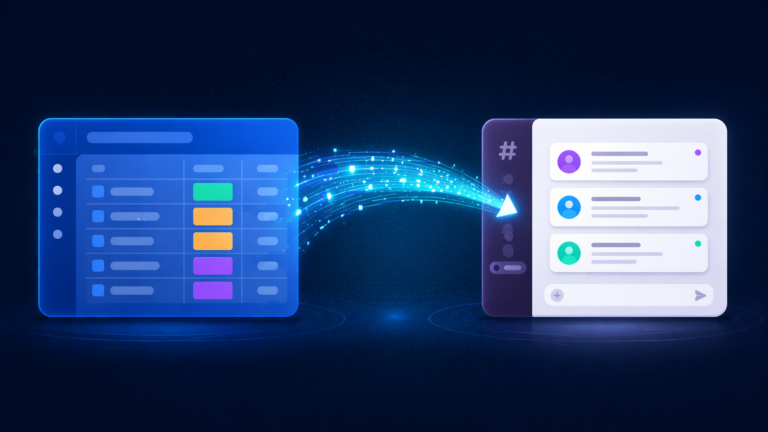
Moving from spreadsheets to a structured platform is not about replacing one tool with another. It is about gaining capabilities that spreadsheets are architecturally unable to provide.
Real-Time Visibility
Live dashboards eliminate status meetings. Leadership sees project health, workload distribution, and bottlenecks on demand. No more asking someone to compile a report.
Built-In Accountability
Task assignment generates notifications and deadline tracking automatically. Ownership moves from a name in a cell to an active system that follows up, reminds, and escalates.
Workflow Automation
Status changes trigger notifications. Deadlines trigger reminders. Completed phases trigger downstream work. The system handles coordination so humans can focus on execution.
Cross-Department Connections
Work in one department connects to work in another. When sales closes a deal, operations gets notified. When HR approves a hire, IT provisions equipment. No manual handoffs required.
AI-Powered Intelligence
AI assistants flag at-risk projects, suggest workflow improvements, generate formulas, and summarize board activity. Intelligence that spreadsheets cannot provide regardless of formula complexity.
Scalability Without Degradation
Spreadsheets slow down as they grow. Platforms are designed for scale. Whether you manage 5 projects or 500, the system performs consistently and reporting stays accurate.
Making the Switch Without the Chaos
The transition from spreadsheets to a structured platform does not need to be disruptive. The key is investing in workflow design before touching any tools.
What This Looks Like in Practice
A typical 20-person operations team transitioning from multi-tab spreadsheets to a structured platform. Here is the before and after.
Before: Spreadsheet-Based
- Project data scattered across 8+ spreadsheet tabs
- 20-minute Monday meetings spent on verbal status updates
- Version control issues causing duplicate work weekly
- New hires need 3-5 days to understand the tracking system
- Managers spend 4+ hours weekly compiling manual reports
- Missed deadlines discovered in meetings, not in real time
- No visibility into team workload or capacity
After: Structured Platform
- Single project board with views filtered by team, status, and timeline
- Monday meetings reduced to 10-minute dashboard reviews
- Single source of truth eliminates version conflicts entirely
- New hires productive with the system within one day
- Executive dashboards update automatically in real time
- Automated 3-day deadline reminders prevent missed dates
- Workload view shows team capacity across all active projects
The adoption insight: Tool abandonment is almost always a design problem, not a people problem. When systems are configured to match how teams actually work, with clear views, intuitive workflows, and immediate value, adoption happens naturally. The most effective approach is designing the system around real workflows rather than forcing teams to adapt to generic templates.
Spreadsheet Migration Readiness Checklist
Use this checklist to assess whether your team is ready to move beyond spreadsheet-based project management. Click each item as you evaluate it.
Frequently Asked Questions
Ready to Move Beyond Spreadsheets?
Book a free workflow consultation. We will map your current processes and design a system that your team will actually adopt.
Book a Free Consultation